Everything you need to know before you buy — from making tracks to tearing up the stage
If you’re a DJ or producer who’s been on the fence about Ableton Live 12, now is the time to make your move. This is the most significant update to one of music’s most beloved creative tools in years — and whether you’re building original tracks, chopping up remixes, crafting quick edits, or performing live in front of a crowd, Live 12 has been built with you in mind.
What Is Ableton Live?
Before we get into what’s new, let’s establish the basics — because Ableton Live is genuinely unlike any other DAW on the market.
Most digital audio workstations are built around a single idea: a timeline. You record, you arrange, you export. Ableton Live does all of that, but it also gives you something no other major DAW offers at the same level — a completely separate, non-linear environment built for real-time music making and performance. This dual-view philosophy is what makes Live the weapon of choice for electronic music producers, DJs, remixers and live performers worldwide.
At its core, Live does two things brilliantly: it helps you make music faster, and it helps you perform that music live without breaking a sweat.
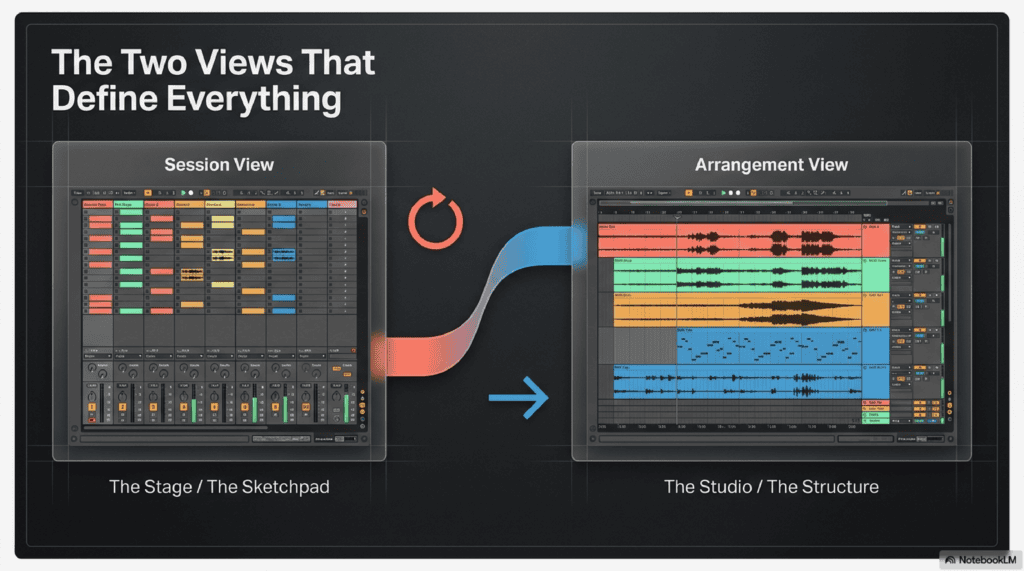
The Two Views That Define Everything
Understanding Ableton’s two core views is essential before anything else.
Session View is a grid of clips — loops, one-shots, samples, MIDI patterns — that you can trigger in any order, at any time. There’s no fixed timeline. You fire off ideas, layer sounds, jam freely and discover music rather than forcing it. For DJs and live performers, Session View is the stage. For producers, it’s the sketchpad where the best ideas are born.
Arrangement View is the traditional timeline you’ll recognize from any DAW. Once your ideas are ready, you drag them from Session View into Arrangement View to build a full track structure — verse, chorus, drop, breakdown. It’s where a 32-bar loop becomes a three-minute record.
The magic is in how these two views work together. No other major DAW handles this relationship as fluidly as Ableton.
The Fundamentals Every DJ and Producer Should Know
Even if you’ve never opened Ableton, these core features are what give it its legendary reputation:
- Warping — change the tempo of any audio clip in real time without stopping playback and without destroying audio quality. This is the backbone of remixing, editing and DJ-style mashups inside a DAW.
- Capture MIDI — played something brilliant before hitting record? Live captures it retroactively. You never lose a good idea.
- Audio-to-MIDI — convert drum breaks, basslines or melodies from audio into editable MIDI patterns and replace them with your own sounds.
- Built-in instruments — Wavetable (wavetable synthesis), Operator (FM synthesis), Simpler (sample-based) and Drum Rack give you a complete sound design toolkit without a single third-party plugin.
- Built-in effects — EQ Eight, Glue Compressor, Echo, Hybrid Reverb, Spectral Resonator, Looper and more cover the vast majority of production and live performance needs.
- Ableton Link — wirelessly sync Live in perfect time with other apps, devices and performers on the same network. Great for collaborative sets and syncing with DJ software like Serato.
- Full MIDI mapping — assign any parameter to any knob, fader or button on your controller in seconds.
- Max for Live — a built-in visual programming environment that lets you build custom instruments, effects, and tools, or sync visuals, lights and sensors to your music.
These fundamentals haven’t changed — but Live 12 has made every single one of them better.
Making Original Tracks in Live 12
Live has always been a powerhouse for electronic music production, and version 12 pushes that capability significantly further with a suite of new creative tools.
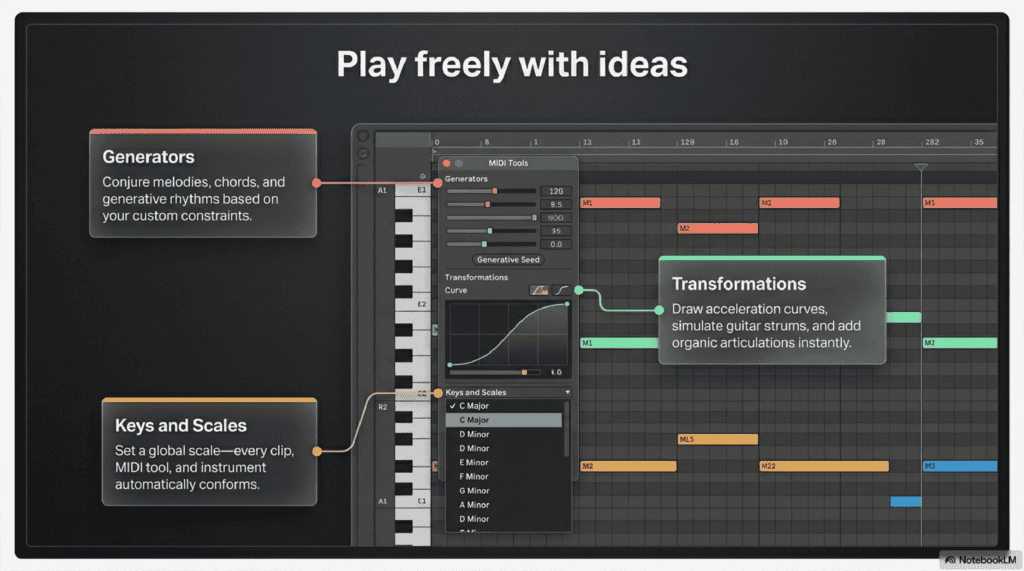
The biggest addition for producers is the MIDI Generator and Transformation tools. MIDI Generators can create melodies, chords and rhythms based on rules and constraints you define — perfect for breaking creative blocks or quickly generating variations on an idea. MIDI Transformations let you add ornaments, articulations, strum simulations, and acceleration or deceleration curves directly to MIDI clips. These aren’t gimmicks; they’re genuinely useful tools that speed up the part of production that usually takes the longest.
Keys and Scales is a game-changing workflow upgrade. Set a global key and scale in the Control Bar and every clip, MIDI tool and instrument in your Set automatically conforms to it. You can explore ideas harmonically without music theory knowledge tripping you up, and transpose your entire project in seconds.
New Instruments and Effects
New instruments and effects round out the production arsenal:
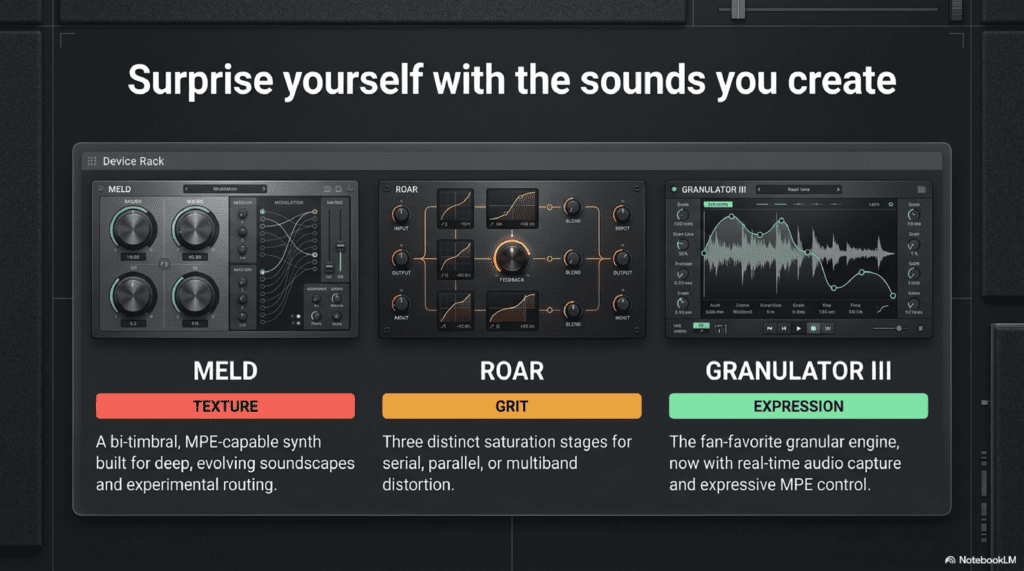
- Meld — a brand new bi-timbral, MPE-capable synthesizer built for deep, evolving textures and experimental sound design. A standout addition for ambient, techno and cinematic producers.
- Granulator III — the fan-favourite granular instrument has been updated with MPE support and real-time audio capture, making it more powerful and expressive than ever.
- Drum Sampler — a new, streamlined device for one-shot sample playback with built-in effects, ideal for punchy percussion layers.
- Roar — a new saturation and coloring effect with three distinct saturation stages that can run in series, parallel, mid-side or multiband configurations, plus a feedback generator and full modulation matrix. For anything that needs grit, warmth or edge, this is the go-to device.
- Expanded Probability — assign probability rules to groups of notes or individual chords, creating patterns that evolve and surprise over time without you touching a thing.
On the workflow side, Bounce to New Track lets you flatten any clip or Group track — including all its processing — to a new audio track in a few clicks. Stacked Detail Views mean you can see your devices AND your clip editor or automation lane simultaneously, eliminating the constant switching that used to interrupt your flow.
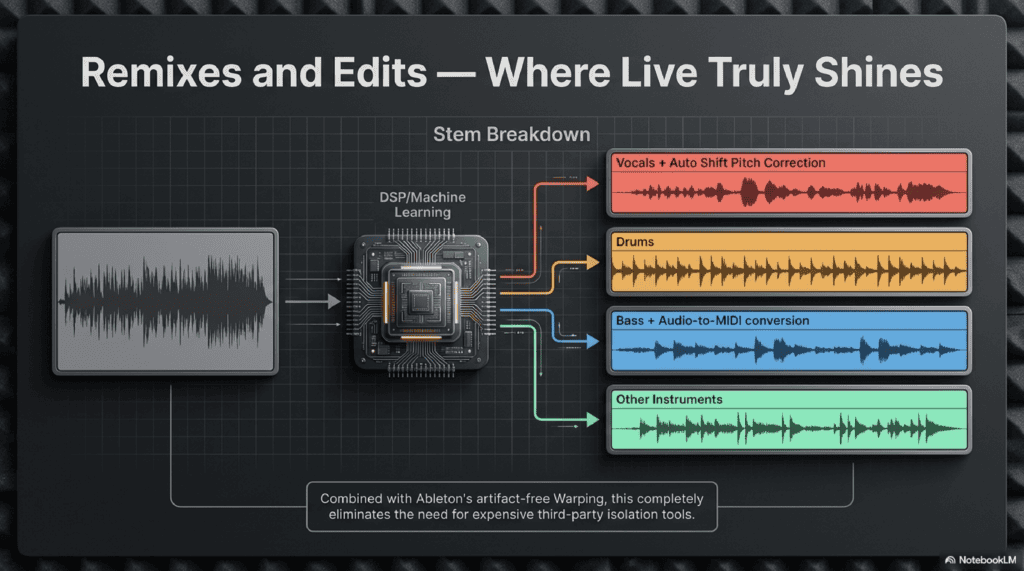
Remixes and Edits — Where Live Truly Shines
Ableton Live has always been a remixer’s dream, but Live 12 Suite takes it to a completely new level with tools that were previously only possible using expensive third-party plugins or hours of manual work.
The headline feature is Stem Separation. Available in Live 12 Suite, this lets you isolate vocals, drums and bass from any audio file using Music.AI-powered algorithms — directly inside Live, without sending your audio to an external app. Import a track, right-click, separate stems, and start building your remix from the ground up. The latest Live 12.4 update adds a merge workflow so you can process selected stems and combine them back into a single file seamlessly.
Combined with Live’s legendary Warping, you can time-stretch and pitch-shift any stem or sample to match your project’s tempo and key without artifacts. This is the core of any great edit or remix, and no DAW does it more intuitively than Ableton.
Other tools that make remixing and editing faster:
- Auto Shift — real-time pitch correction and harmonization for vocals and monophonic instruments. Perfect for correcting a vocal stem or creating layered harmony effects in a remix.
- Splice Integration — browse and audition Splice samples in sync and in key with your current Set, directly from the Live browser. Your sample subscription and your DAW, finally working as one.
- Sound Similarity Search — load a sound you love, and Live uses machine learning to find similar samples and presets in your library. A brilliant time-saver when you’re hunting for the right element.
- Drum Rack Kit Swapping — swap an entire drum kit for similar-sounding samples with one click. Endless texture variations without rebuilding your Rack from scratch.
- Audio-to-MIDI — pull a bassline or melody from any audio source and convert it into an editable MIDI pattern to re-trigger with your own instruments.
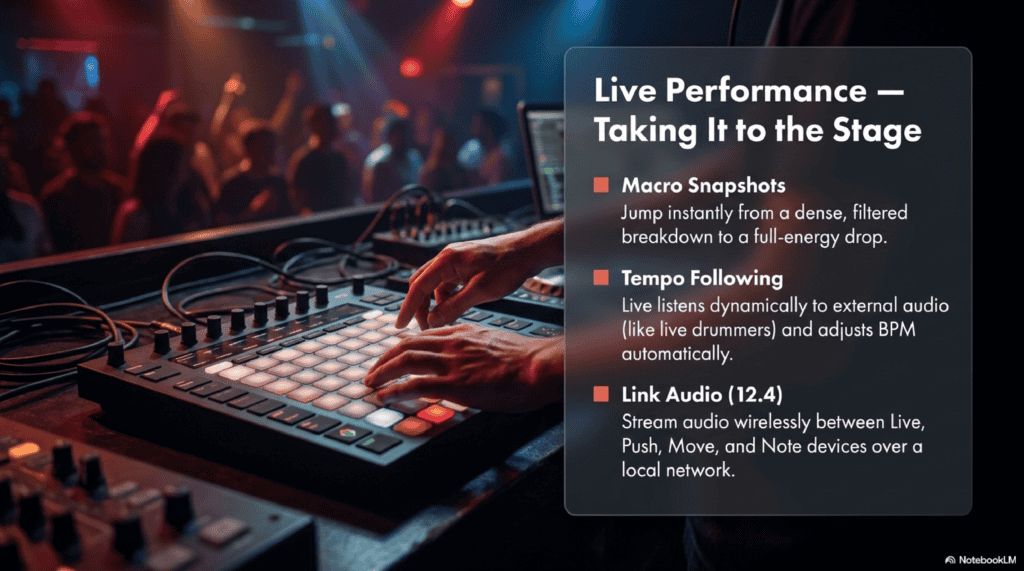
Live Performance — Taking It to the Stage
This is where Ableton genuinely stands apart from every other DAW. Session View isn’t just a songwriting tool — it’s a performance instrument. Trigger clips, re-sequence and remix your music in real time in front of an audience, without a fixed timeline locking you in.
Live 12 builds on this strength with a set of performance-focused upgrades:
- Macro Knobs (now up to 16) — map dozens of parameters across multiple devices to a single knob. One turn can sweep filters, adjust reverb depth and change compression simultaneously. For live performance, this is everything.
- Macro Snapshots — save specific parameter states as snapshots and recall them instantly during a set. Jump between a dense, filtered breakdown and a full-energy drop in a single click.
- Tempo Following — Live listens to incoming audio and automatically adjusts its BPM to match. This makes it possible to sync a Live set to a live drummer, a DJ, or any external audio source dynamically.
- New Modulation Behavior — in previous versions, modulating a parameter locked out manual control. In Live 12, modulated parameters can still be adjusted by hand during performance, opening up genuinely expressive real-time control.
- Link Audio (Live 12.4) — stream audio between Live, Push, Move and Note devices over a local network. Build a fully connected, multi-device performance setup wirelessly.
- Ableton Link — sync Live to other performers’ setups, iOS apps or DJ software on the same network, staying in perfect time without a physical clock signal.
- Push hardware integration — Ableton’s dedicated controller lets you play beats, trigger clips, sculpt sounds and mix your set entirely without touching the computer. The ultimate performance setup for Live users.
- Performance Pack — a dedicated pack of devices and presets designed specifically for live use, including multi-parameter macro tools, Arrangement View looping, and pre-built set structures.
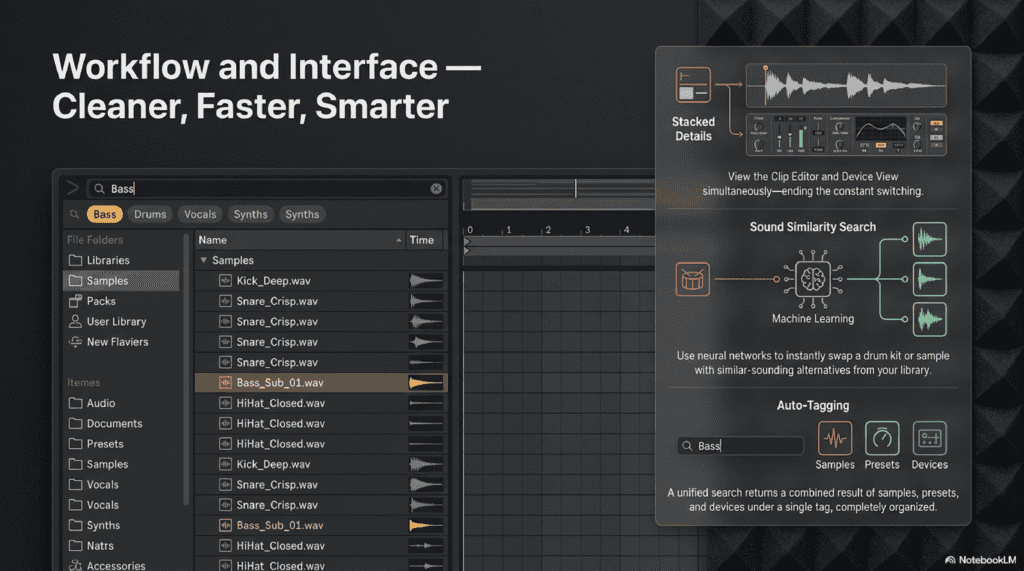
Workflow and Interface — Cleaner, Faster, Smarter
Live 12 didn’t just add new features — it cleaned house on the interface and workflow in ways that make daily use noticeably better.
The redesigned UI strips away visual clutter and brings the focus back to the music. You can choose from cool, neutral or warm color themes, and a high-contrast mode is available for bright stage environments. The Mixer is now available in Arrangement View — previously it only appeared in Session View, which was a long-standing frustration for producers who work primarily in the timeline.
The browser has been massively overhauled:
- Browser History — retrace your sample browsing steps like a web browser’s back button. No more losing that perfect sound you stumbled across ten minutes ago.
- Auto Tagging — Live automatically tags all samples under 60 seconds and VST3 plugins using metadata, so your library organizes itself.
- Filtered Search — search for “bass” and get every bass sample, preset and device in one combined result, regardless of where it lives in your folder structure.
- Sound Similarity Search — use machine learning to instantly find drum kits or samples that sound like the one you already love.
- Stacked Detail Views — view your Clip Editor and Device View at the same time, ending the constant switching that broke creative momentum.
The Learn View, introduced in Live 12.4, replaces the old Help View with a structured, in-app learning experience featuring short videos and written guides. New keyboard shortcuts also mean you can navigate to virtually any part of Live without touching a mouse, keeping your hands on your controller and your eyes on the music.
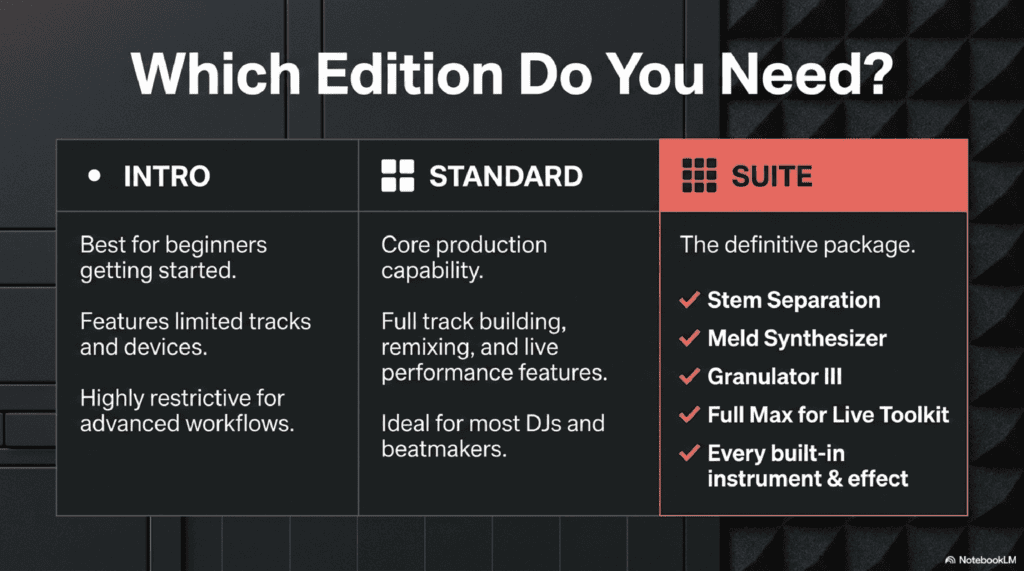
Which Edition Do You Need?
Ableton Live 12 comes in three editions. Here’s the honest breakdown:
- Intro — good for complete beginners getting started, but limited tracks and devices make it restrictive quickly. Not recommended for serious DJ or production work.
- Standard — covers the core production and performance needs for most DJs and beatmakers. Full track building, remixing, and live performance features. Ideal if you’re focused on core workflow without the advanced instruments.
- Suite — the full package. Includes Stem Separation, Granulator III, Meld, Roar, the full Max for Live toolkit, and every built-in instrument and effect. If you’re serious about music production, remixing or live performance, Suite is the version to get.
The good news is that Ableton offers a 30-day free trial of Live 12 Suite with full features including saving and exporting. There’s no reason not to try it before committing.
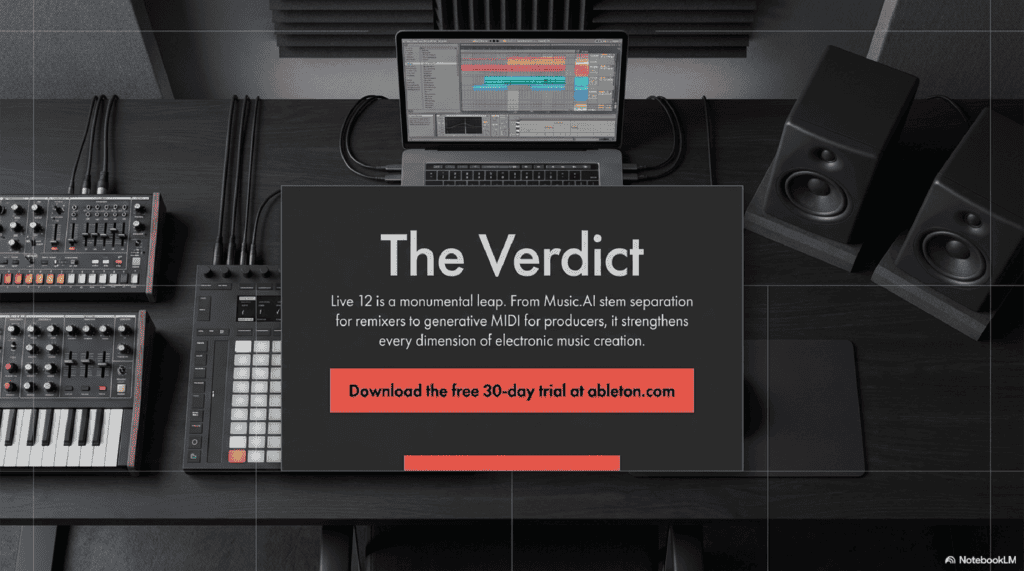
The Verdict
Ableton Live 12 is not a minor version bump. It’s a comprehensive upgrade that strengthens every dimension of what the software does — from the deepest sound design to the most chaotic live improvisation. Stem Separation alone changes what’s possible for remixers. The MIDI Generator and Transformation tools are a genuine creative accelerant for producers. And the performance features in Session View remain, simply, the best in the business.
If you’re a DJ who wants to start producing, a producer who wants to start performing live, or a remixer who wants the best tools available — Live 12 Suite is worth every penny. Start with the 30-day trial, and you’ll understand why this software has defined electronic music for over two decades.
👉 Download the free 30-day trial of Ableton Live 12 Suite at ableton.com