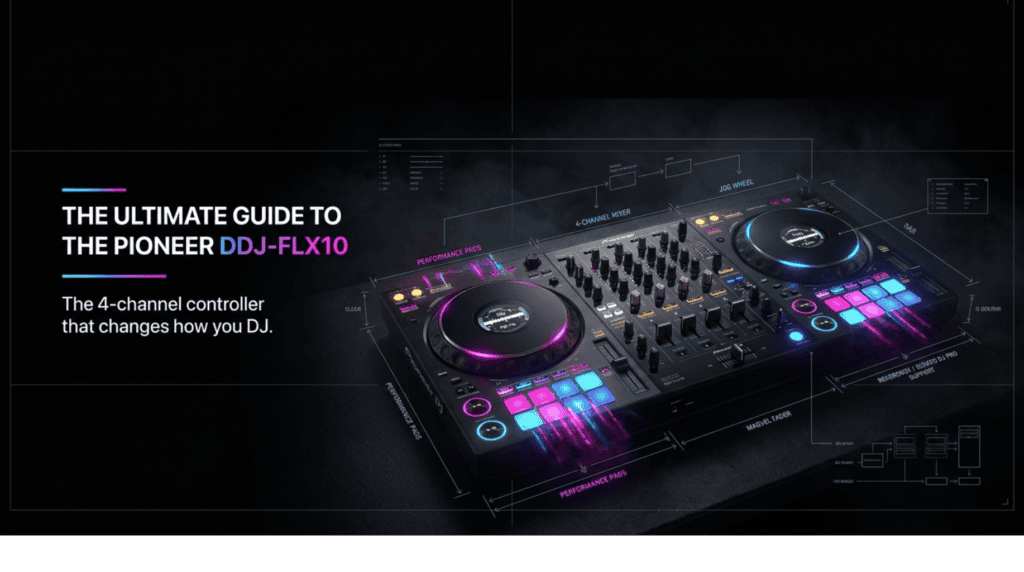
Everything you need to know before you buy — STEMS, performance features, and why this is the controller for the modern DJ
If you’ve been looking for a DJ controller that genuinely bridges the gap between bedroom practice and professional club performance, the Pioneer DDJ-FLX10 is it. This is Pioneer DJ’s flagship 4-channel performance controller — and it doesn’t just match the club standard, it introduces features that pro club setups don’t even have yet. Chief among them: real-time STEMS technology built directly into the hardware, no laptop processing required.
This guide covers everything you need to make a confident buying decision.
What Is the DDJ-FLX10?
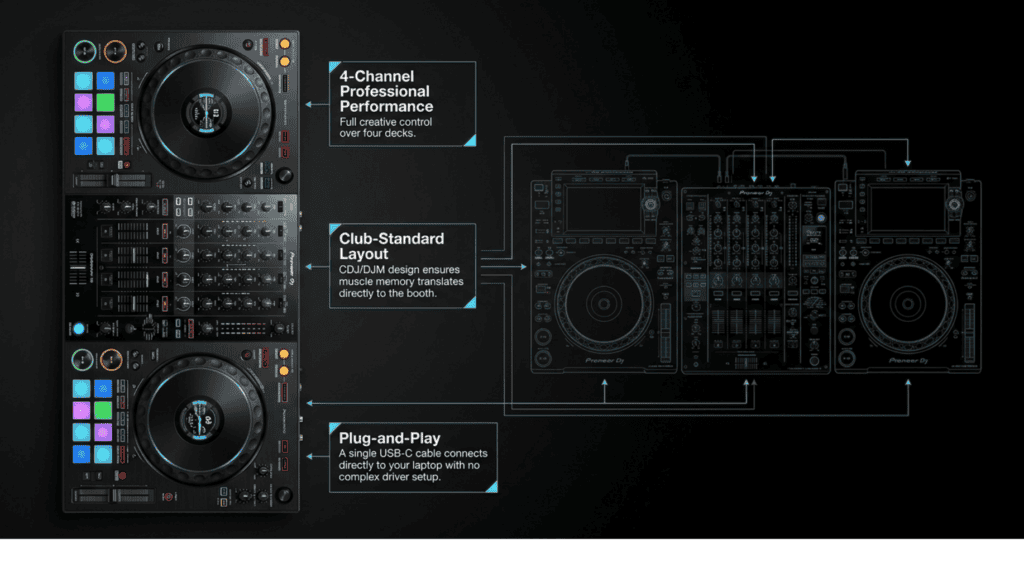
The DDJ-FLX10 is a 4-channel DJ controller designed for professional performance. It works natively with rekordbox and Serato DJ Pro — two of the most widely used DJ software platforms in the world — and also supports djay Pro. One USB-C cable connects it to your laptop. That’s it. No driver installation, no complex setup. Plug in and play.
It’s the direct successor to the DDJ-1000 and DDJ-1000SRT, which were considered the gold standard for serious hobbyist and semi-pro controllers for years. The FLX10 takes that winning foundation and builds something genuinely new on top of it.
The layout will feel immediately familiar to anyone who has played on a Pioneer CDJ/DJM club setup. That’s intentional. Pioneer designed the FLX10 so that skills developed at home translate directly to the booth. The mixer section mirrors the DJM series, the jog wheels feel close to CDJ platters, and the workflow is identical. When you step behind a club setup for the first time, muscle memory takes over.
STEMS — The Feature That Changes Everything
This is the headline. STEMS is the technology that separates the FLX10 from every other controller in its price range, and it’s worth understanding properly before anything else.
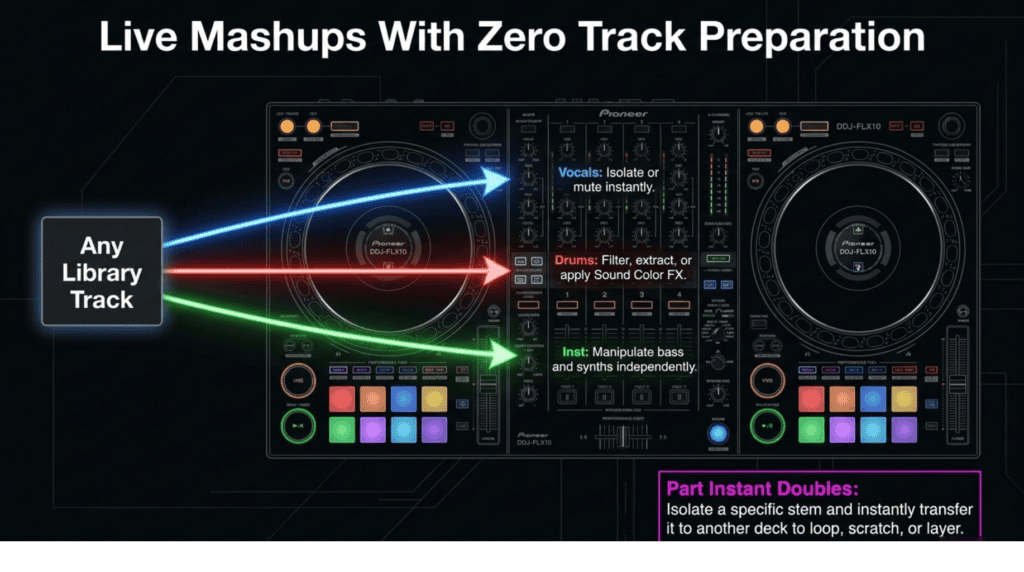
Load any track from your library — any track, with zero preparation — and the FLX10 splits it in real time into three individual parts: Vocals, Drums, and Instrumental. You can then perform with those parts live, independently, in front of a crowd. Here’s what that means in practice:
- Active Part — select which stem part you want to control and manipulate
- Part ISO — isolate or mute individual stems mid-mix. Drop the vocals out of the current track while the next track’s vocals are coming in. Remove the drums entirely and let the chord progression breathe. Mute the instrumental and let the vocal play acapella over a completely different beat
- FX Part Select — apply Beat FX or Sound Color FX to one specific stem only. Add reverb just to the vocals, or put a filter on the drums without touching the rest of the track
- Part Instant Doubles — take an isolated stem (a vocal, a drum loop, a bassline) and transfer it to a separate deck. Now you have that element running independently, and you can layer it over whatever you play next
The multicolored jog wheel ring changes color depending on which stem is active, giving you a clear visual reference mid-performance without looking at the screen.
This isn’t a gimmick. STEMS on the FLX10 is a live tool that opens up mashup and remix possibilities that previously required a second DJ, a sampler, or extensive track preparation in advance. With the FLX10, it happens on the fly with tracks you’ve never even prepped.
On-Jog Displays — Eyes on the Decks
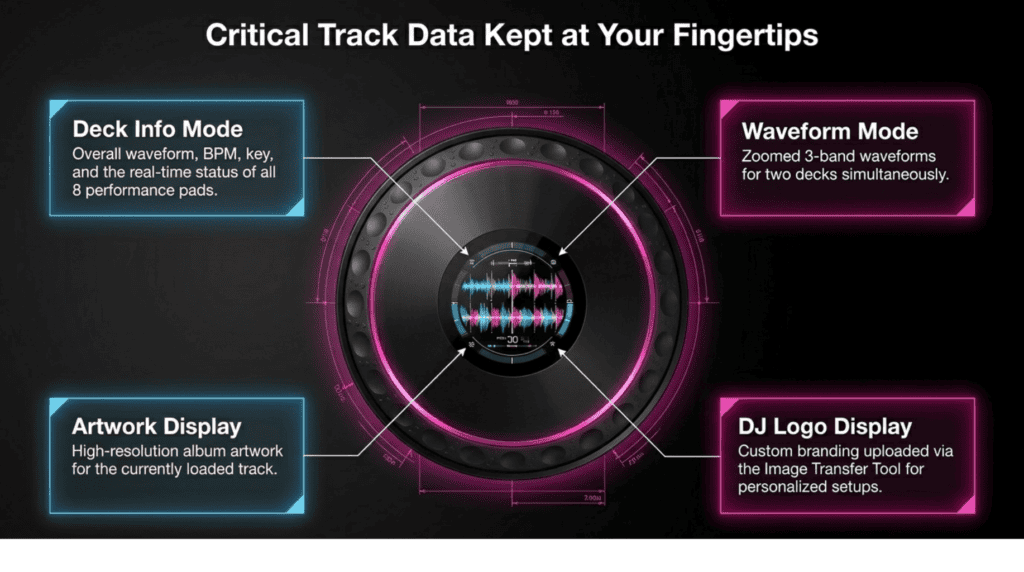
The FLX10’s large jog wheels feature full on-jog displays — a screen built directly into the platter surface. These aren’t decorative. They’re one of the most practically useful features on the controller, keeping critical information at your fingertips without needing to look at your laptop screen.
There are four switchable display modes:
- Deck Info Mode — shows your overall waveform, track name, artist, BPM, key, and the current status of all eight performance pads. Everything you need to know about the track at a glance
- Waveform Mode — displays zoomed 3-band waveforms for two decks simultaneously (rekordbox). The same waveform view you’d see on a CDJ-3000 in a club, right on your jog wheel
- Artwork Display — shows the album artwork for the currently loaded track
- DJ Logo Display — upload your own logo, photo or brand image via the Image Transfer Tool. A brilliant touch for DJs who want a personalised setup or who stream their performances
Mix Point Link — Smarter Transitions
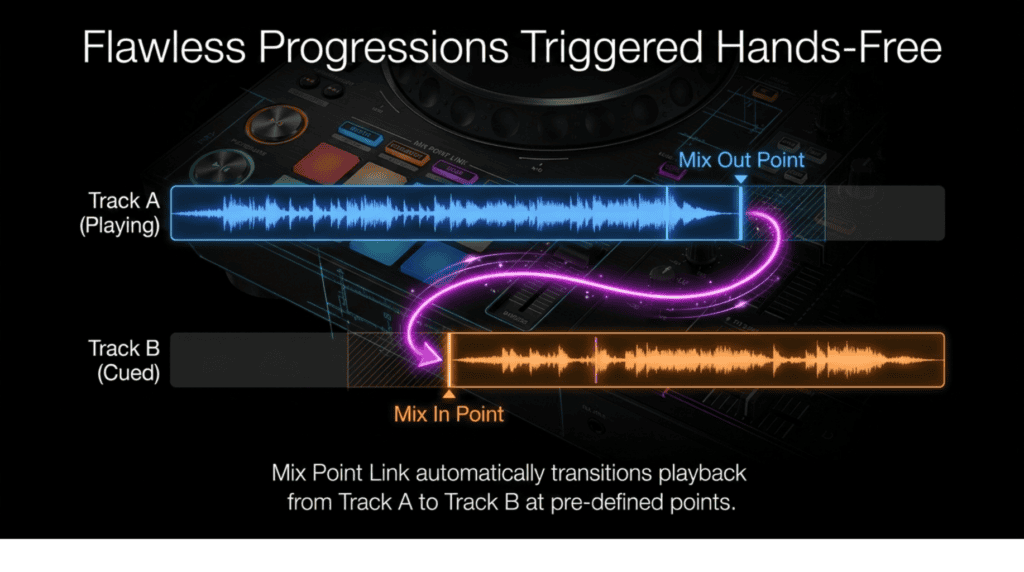
Mix Point Link is a rekordbox-exclusive feature introduced with the FLX10 and it redefines how you plan and execute transitions.
The concept is simple but powerful. In rekordbox, you set a mix out point on the current track (the moment you want to start transitioning away from it) and a mix in point on the next track (the exact musical moment you want to enter from). When the current track reaches the mix out point, the next track automatically begins playing from its mix in point.
In practical terms: the next track’s chord progression starts exactly when the current drop ends. The new vocal enters precisely on the beat you planned. The energy shift happens at exactly the right moment — every time, without counting bars in your head or watching a countdown timer. Your hands stay free to work the STEMS controls, the effects, or the crowd.
This is particularly powerful for open-format DJs who jump between genres, where transitions need to be musically precise rather than just beatmatched. Set your mix points during preparation, and the FLX10 handles the timing.
Hardware, Build Quality and Faders
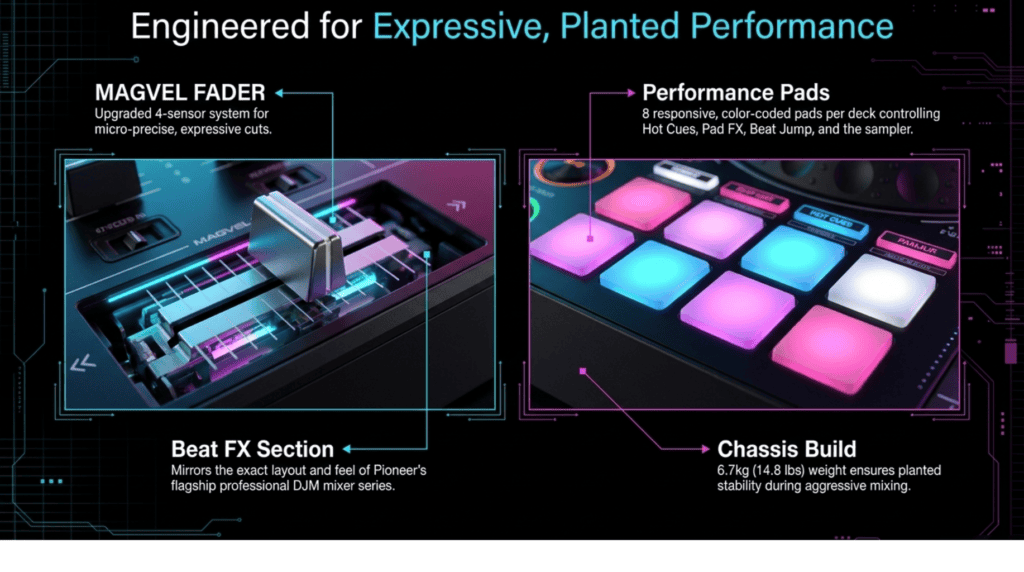
The FLX10 is built to the standard you’d expect from Pioneer DJ’s professional line. At 716mm wide and 6.7kg, it’s a substantial piece of hardware that stays planted on a table during even the most aggressive performances.
The MAGVEL FADER is a significant upgrade over previous models. The FLX10 uses a 4-sensor system — the DDJ-1000 used two — which enables micro-precise volume adjustments and significantly more expressive crossfader performances. For scratch DJs, this matters enormously. For everyone else, it simply means smoother, more musical fader movements.
Other hardware highlights worth knowing:
- Tempo Reset — one button press returns any track to its original BPM instantly. Useful when you’ve nudged the pitch during a mix and want to snap back to the master key
- Beat Jump — jump 4 or 16 beats forward or backward in perfect time. Stay locked to the grid while navigating through a track on the fly
- 8 backlit rubber Performance Pads per deck — Hot Cues, Pad FX, Beat Jump, Sampler, and STEMS control all accessed from the same pads. Colour-coded and responsive
- Beat FX section — mirrors the layout and feel of Pioneer’s professional DJM mixer series. If you’ve used a DJM-900NXS2 or DJM-A9 in a club, the FX section on the FLX10 will feel like home
- USB-C connection — single cable, no power adapter required when connected to a laptop with sufficient USB-C power output
DMX Output — Built-In Lighting Control
This is the feature that often surprises people, and it shouldn’t be overlooked.
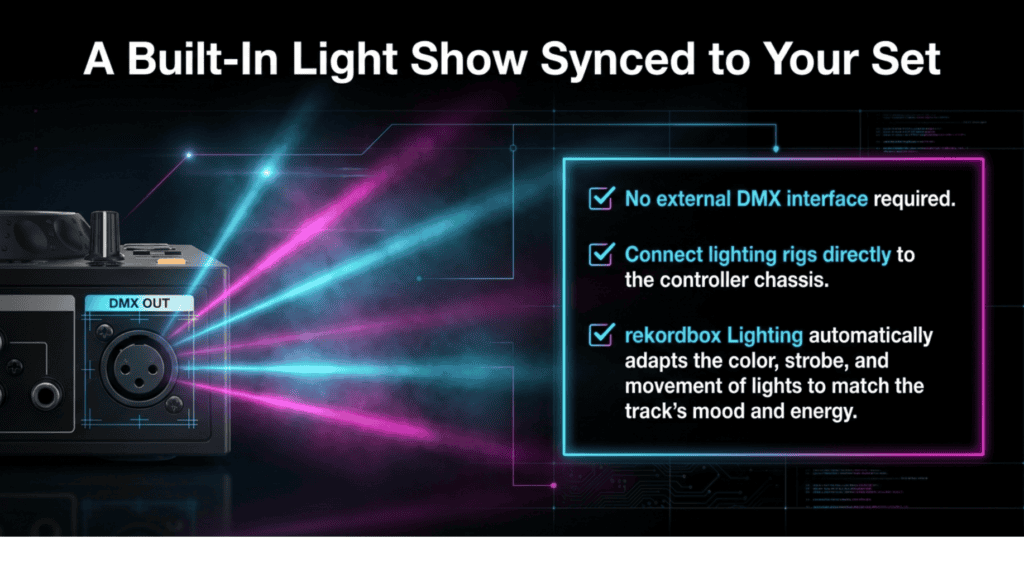
The DDJ-FLX10 includes a built-in DMX output port. Connect a DMX lighting rig directly to the controller — no external DMX interface, no additional hardware — and use rekordbox’s Lighting function to synchronise your light show to the music automatically. Colours, strobes, movement patterns and intensity all respond to the beat and energy of whatever you’re playing.
No other DJ controller in this class includes DMX output as standard. For mobile DJs, event DJs and anyone who manages their own lighting setup, this alone represents a saving of several hundred dollars on external DMX hardware. It’s the kind of thoughtful, practical addition that shows Pioneer built the FLX10 for working DJs, not just bedroom enthusiasts.
Software Compatibility
The FLX10 is genuinely flexible when it comes to software:
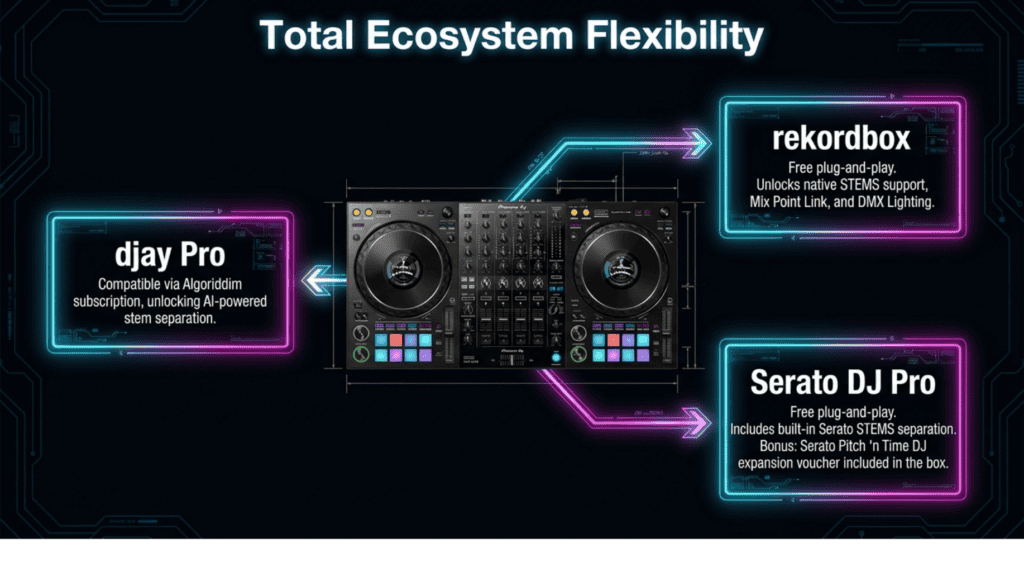
- rekordbox — free plug-and-play. DVS (vinyl/CD timecode) available via rekordbox subscription. Full STEMS support, Mix Point Link, and Lighting all require rekordbox
- Serato DJ Pro — free plug-and-play. DVS available via Serato DJ Suite or the Vinyl/DVS expansion pack. STEMS available via Serato’s built-in stem separation (separate from Pioneer’s implementation)
- djay Pro — compatible via Algoriddim’s paid subscription. Access to AI-powered stem separation through djay’s own engine
- Serato Pitch ‘n Time DJ voucher included in the box — this is a paid Serato expansion that enables key shifting and Sync key functionality, and Pioneer includes it free with every FLX10
Who Is the DDJ-FLX10 For?
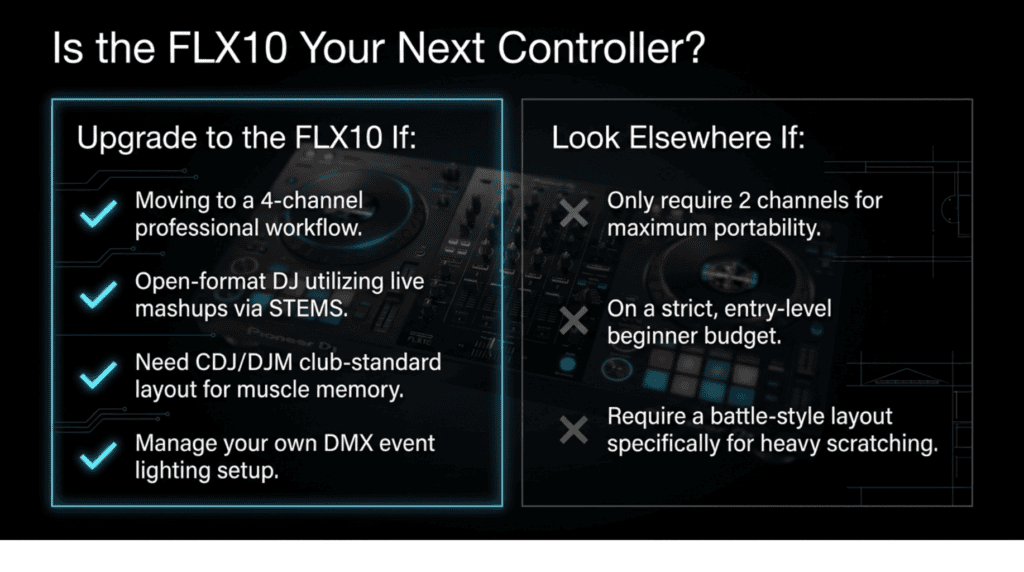
You should buy the FLX10 if:
- You’re upgrading from a 2-channel controller and want the full 4-channel professional workflow
- You play open format and want live mashup capability without spending hours prepping tracks in advance
- You want a controller whose layout directly mirrors the CDJ/DJM setup you’ll find in clubs — so your skills transfer without relearning anything
- You manage your own event lighting and want to eliminate a separate DMX interface from your setup
- You want the most future-proof controller at this price point — STEMS, Mix Point Link and on-jog displays represent where DJ technology is heading
You might look elsewhere if:
- You only need 2 channels and want a more portable, lighter option
- You’re on a tight budget — the FLX10 sits at the premium end of the controller market
- You’re a scratch-focused DJ who wants a battle-layout controller rather than a club-layout one
The Verdict
The Pioneer DDJ-FLX10 is one of the most significant DJ controller releases in years. STEMS alone justifies serious attention — the ability to isolate, mute, solo and FX individual parts of any track in real time, with zero preparation, changes what’s possible during a live DJ set. Add Mix Point Link for flawless transitions, on-jog displays for professional visual feedback, a top-tier MAGVEL FADER, and built-in DMX lighting control, and you have a controller that outperforms its price in almost every dimension.
This is a controller built for DJs who take their craft seriously — whether you’re playing house parties, residencies, clubs or festivals. If you’re ready to invest in a setup that will grow with you for years, the DDJ-FLX10 is the standard to buy.
★ A note on links: some links in this post are affiliate links. If you buy through them we earn a small commission at no extra cost to you — it helps fund the site. See our full disclosure.