Several months of client mixtapes built in it — branded mixes for restaurants and hospitality brands, delivered as files rather than played to a room. Here’s what the software does well, where it fought me, and who should actually spend money on it.
Buy the Pro + Stems tier if you regularly make recorded mixes — promo mixes, radio shows, podcast episodes, client work, YouTube sets. Stem separation living inside the mix timeline is the reason to own it, and buying a tier without stems means buying a much less interesting product.
Skip it entirely if you only ever play live and never record, or if what you actually need is clean stem extraction to use elsewhere. It is not built for either job and will disappoint you at both.
What DJ.Studio actually is
DJ.Studio calls itself “the DAW for DJs”, and for once the marketing line is accurate rather than aspirational. It is not a performance tool. You cannot play a club set on it, there is no crossfader you’d want to touch live, and it makes no attempt to compete with Serato or rekordbox on their own ground.
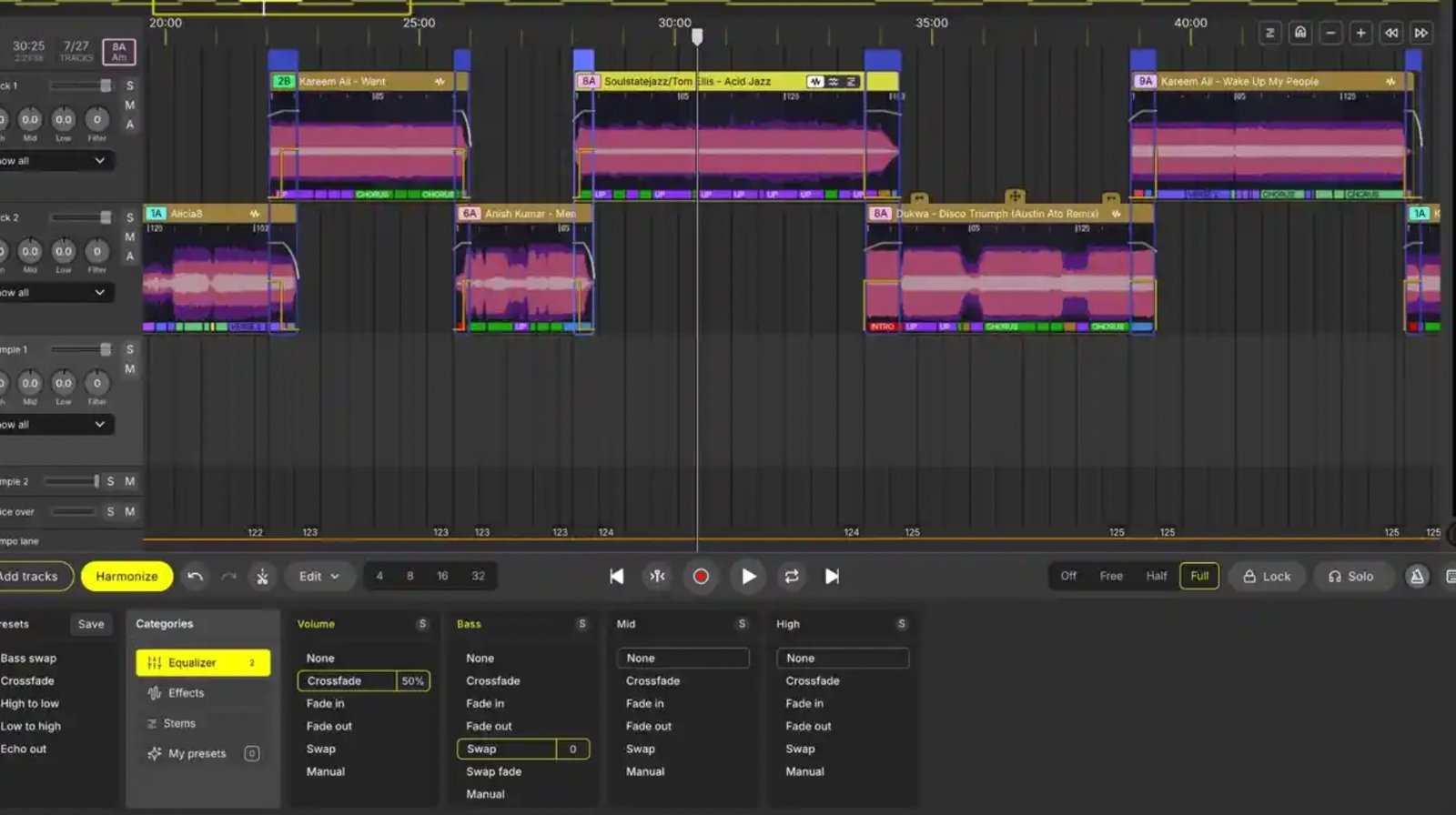
What it does is give you a timeline. You import your tracks, order them, design the transitions between them, cut and layer sections, and export the finished thing as audio or video. The whole application is built around a single job: making a recorded mix on a desk, with the precision that live playing never allows.
That is a narrower product than most DJ software, and the narrowness is the point. Every feature in it exists to serve mix construction. Nothing is there because a competitor has it.
Who it’s for
The fit is sharp rather than broad. DJ.Studio suits you if you make recorded mixes that other people listen to later: promo mixes, radio shows, podcast episodes, Mixcloud uploads, YouTube sets, branded content for clients. That covers a lot of working DJs, because most of us produce recorded content whether or not we think of ourselves as producing it.
It does not suit you if you only ever play live and never record. There is nothing here for a DJ whose entire output happens in real time in a room. If your sets exist only as they happen, this is not your software and no amount of feature list will change that.
The workflow, start to finish
The first thing worth knowing is that DJ.Studio doesn’t ask you to abandon your existing library. It reads directly from rekordbox, Serato, Traktor, VirtualDJ, Engine DJ, Mixed In Key, Apple Music and plain local folders. If you’ve spent years building cue points, BPM analysis and key tags in rekordbox, all of that comes across. You are not starting from a blank slate, which is the thing that kills most attempts to bolt a new tool onto a settled workflow.
From there the process runs:
- Import a selection. Pull a set of tracks into a project — typically more than you’ll use, so you have room to cut.
- Let Harmonize rough out an order. The engine sorts by BPM and harmonic key into a first-pass sequence.
- Work the timeline. Adjust where each blend lands, how long it runs, and how the tempo moves across the mix.
- Add the detail. Stem edits, effects, samples, voice-over if the mix needs one.
- Export. Audio, video, or a project file for further work elsewhere.
Steps one and two take minutes. Step three is where the actual work lives, and where the software either earns its money or doesn’t.
The Harmonize engine — how good is the AI ordering?
Harmonize analyses BPM and harmonic key across your imported selection and generates a track order plus a first-pass blend structure. Feed it twenty tracks and it returns a coherent harmonic journey in seconds — something that takes twenty minutes to map by hand on paper.
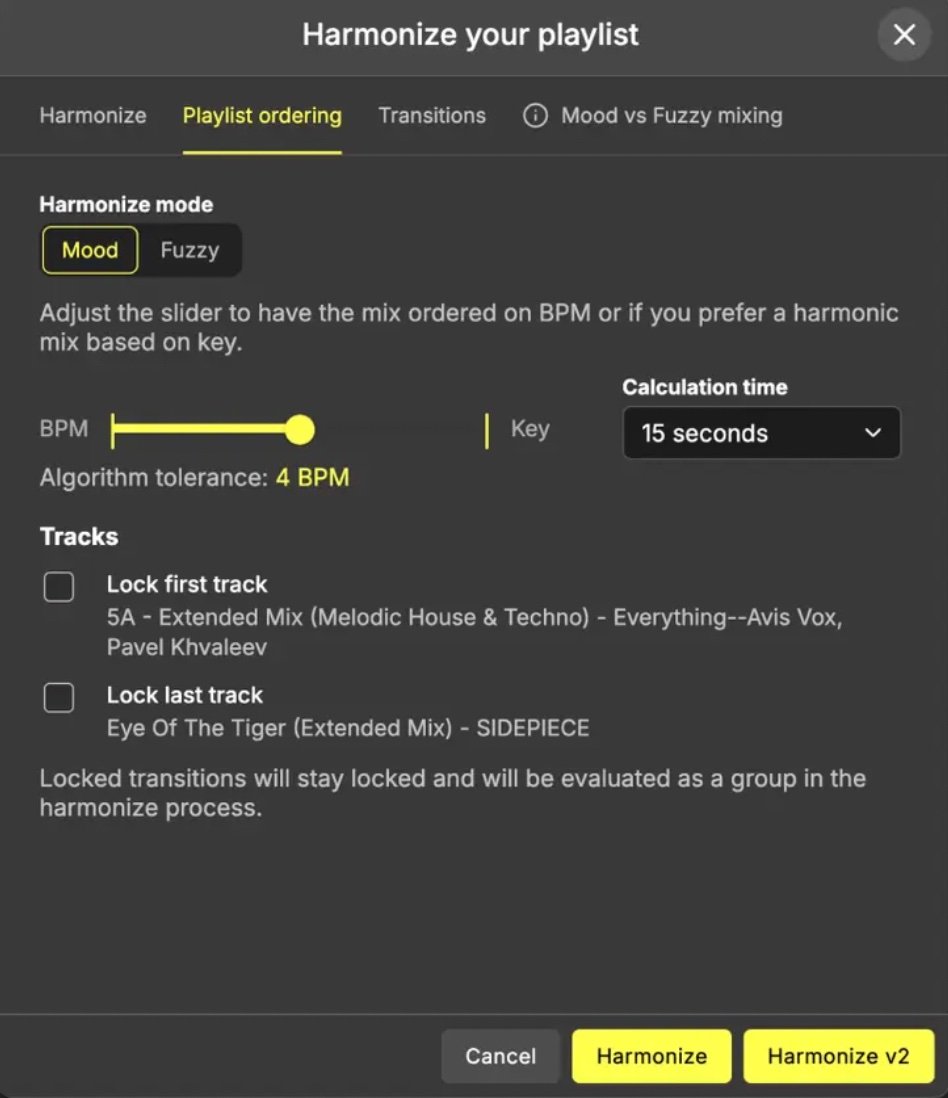
It is genuinely useful. It is also, unambiguously, a draft. Some transitions need rebuilding entirely. Multi-genre selections confuse it. Tracks with unusual or shifting beat structures throw the automation off, though the beat-grid correction and phrase detection added in recent updates have narrowed that gap noticeably.
Think of Harmonize as a very fast first opinion about track order. It’s right often enough to be useful, and wrong often enough that you must check every transition before you export.
The failure mode to watch for is trusting it. A mix that Harmonize ordered and you didn’t audit will have at least one transition that technically works in key and tempo while making no musical sense at all. The engine understands compatibility. It does not understand what a mix is for.
If the underlying theory is new to you, our harmonic mixing guide covers what Harmonize is doing automatically — worth reading, because you’ll make better judgement calls on its suggestions once you know why it’s making them.
Stems — the standout feature
This is the part that changed how I work, and the reason I’d recommend the software at all.
Stem separation on its own is not novel any more. Plenty of tools split a track into drums, bass, vocal and everything else. What is different here is that the stems live inside the timeline you’re already building the mix on. There is no export, no round trip through a separate application, no reimporting processed files and re-aligning them.
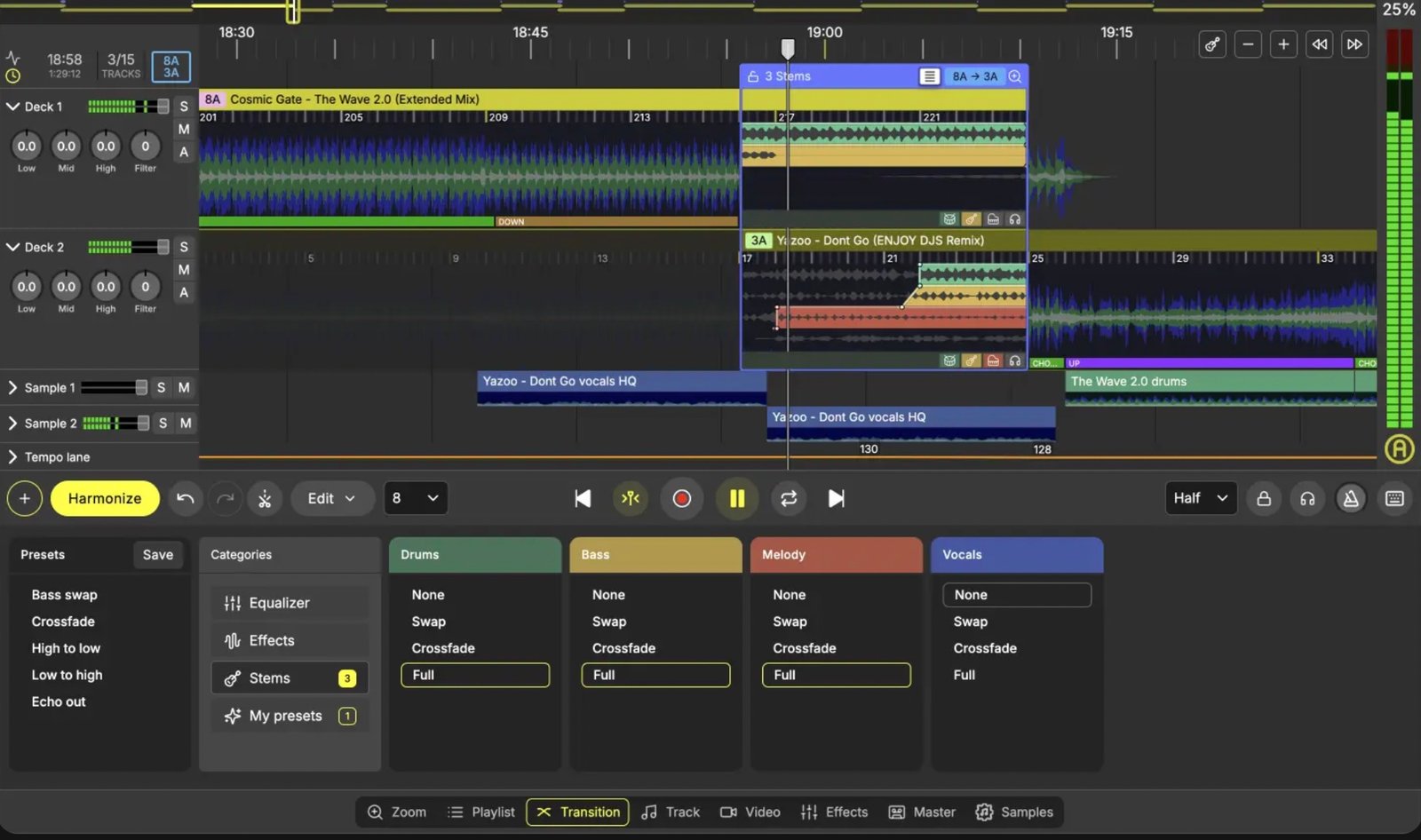
In practice that means you stop thinking in terms of whole tracks. You pull a vocal out three bars before a blend so the incoming track’s vocal has clean air. You hold an outgoing bassline underneath a new track for eight bars because the two happen to sit well together. You build a mashup layer by layer without ever leaving the project.
These are moves that are theoretically possible with any stem tool and a DAW. The difference is friction. When separation is two clicks away inside the timeline, you try things you’d never have bothered to try if each experiment cost you a fifteen-minute round trip. That is a real change in how the work gets done, not a feature-list improvement.
The honest limitation on stem quality
DJ.Studio’s stems are built for mix construction, not for extraction. If what you want is a clean acapella to use somewhere else entirely — a bootleg, a track of your own — a dedicated tool will give you better isolation. Our Lalal.ai test covers that side of it.
For designing a transition, where the stem sits under other material anyway and is never heard naked, the separation here is entirely good enough. Know which job you’re doing before you decide which tool you need.
What it costs you in CPU
Stem processing is heavy, and on a large project it will make itself known. Performance has improved substantially — background processing means analysis no longer blocks the interface, and Apple Silicon machines in particular are much faster than they were. But a long mix with stems enabled across every track is a real load, and an older laptop will struggle.
Test this during the trial, not after. Load a full-length project with stems on every track and see what your machine does. It is the single most common reason people bounce off this software, and it costs nothing to find out first.
Export options
| Format | What you get | Tier |
|---|---|---|
| MP3 | Standard compressed audio for uploads | All tiers |
| WAV | Uncompressed master — the one to archive | Pro and above |
| Hi-res WAV / FLAC | Higher resolution for archival or broadcast delivery | Ultimate |
| Video | Mix rendered with visuals for YouTube | Ultimate |
| DAW project | Full project with automation and beat-grids written in | Pro and above |
| Serato export | Track edits and hot cues carried across | Pro and above |
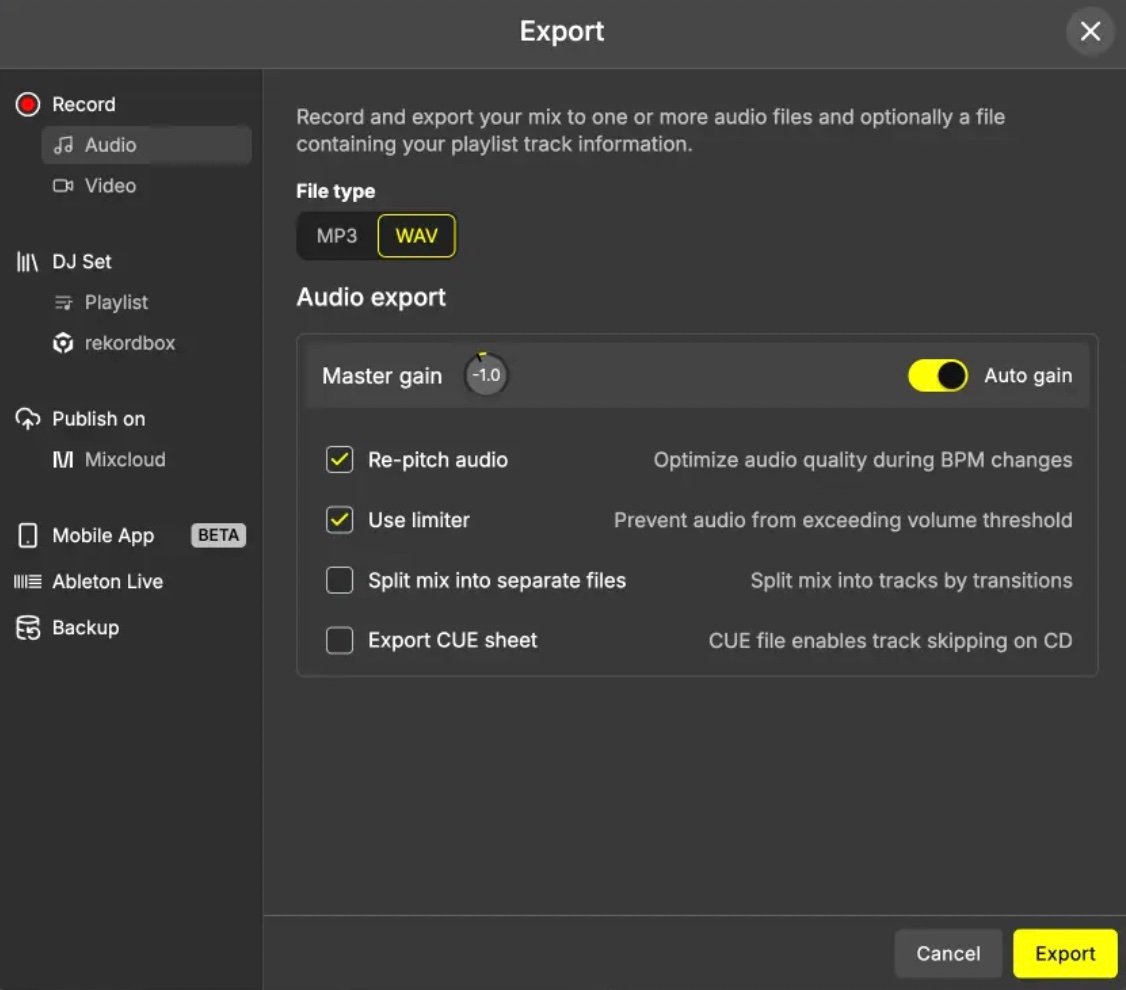
The export that matters most depends entirely on what you make. For radio and podcast delivery, WAV is the whole story. For client work, video export on the Ultimate tier saves a separate render step. For anyone doing further production on the mix afterwards, the DAW project export is the one to care about.
A note on the DAW export
DJ.Studio can export a full project folder with volume automation, EQ moves and effect automation already written in, and with stems separated onto their own tracks with beat-grids intact. If you intend to take a mix further — proper mixdown, detailed automation, production work — that export removes an enormous amount of manual warping and arrangement.
Whether that matters to you depends on whether you already work in a DAW. If you do, it’s a significant feature and we’ve written about that pairing in detail in our DJ.Studio vs Ableton comparison. If you don’t, ignore it — DJ.Studio stands up perfectly well as a finishing tool in its own right, and most users will export a WAV and be done.
Where it fought me
A review that only lists strengths isn’t a review. Four things gave me trouble.
The learning curve if you already think in DAW terms
DJ.Studio’s timeline looks like a DAW arrangement view but does not behave like one. Several things I reached for by reflex either don’t exist or work differently. That fought my muscle memory for the first fortnight. Someone arriving without DAW habits will probably find it easier than I did, which is a slightly odd thing to have to report.
Stems will find the ceiling of your machine
Covered above, and worth the repetition because it’s the most common reason people give up on it.
The automix needs supervision
Also covered above. It is not set-and-forget and shouldn’t be sold as such.
Desktop only
The browser version has been discontinued — DJ.Studio is now strictly a Mac and Windows application, macOS 12 or newer, Windows 10 or 11. No Linux, no iPad authoring, no Android. There is a companion mobile app, but it’s for listening to mixes you’ve already exported, not for building them. If you were hoping to sketch a mix on a tablet on a train, you can’t.
One thing that went the other way: I hit an export glitch mid-way through a client project and their support team had it fixed inside twenty-four hours. That is not normal for software at this price, and it’s worth weighing against everything above.
Pricing and tiers
DJ.Studio sells as a one-time perpetual licence or as a monthly subscription, across four tiers. The perpetual licence is what most people want: it covers one user on up to two machines and includes twelve months of updates and support. After that the software keeps working, and the update window can be extended later if you want it.
| Tier | What you get | Typical price |
|---|---|---|
| Studio | Core timeline, MP3 export, default transitions | Entry |
| Pro | Adds WAV export, manual transition control, full DAW project export | Mid |
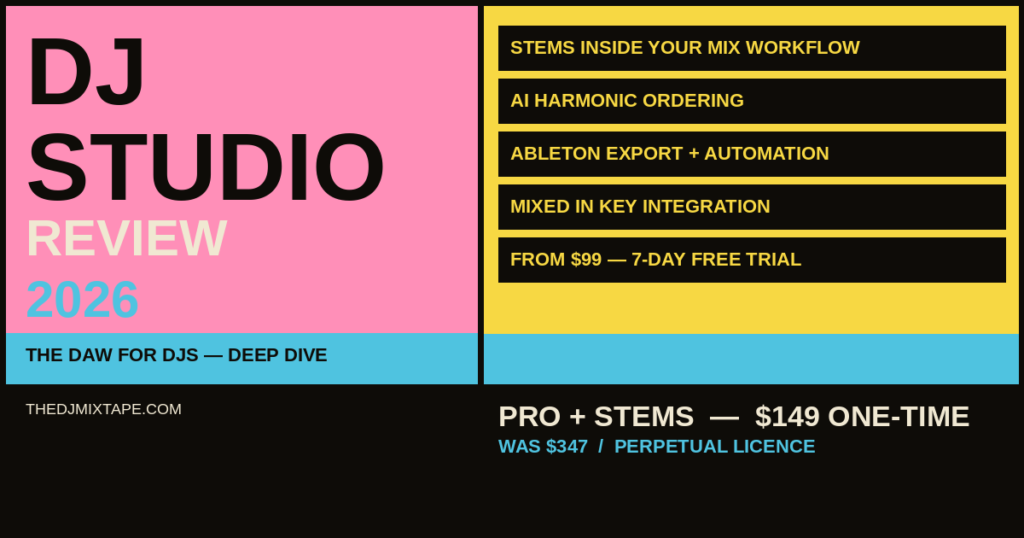
| Pro + Stems | Everything in Pro plus stem separation and the full FX pack | ~$149 Pick this |
| Ultimate | Adds video export, VST support, hi-res WAV and FLAC | ~$209 |
Pro + Stems is the tier to buy. Stems are the reason to own this software, and buying a tier without them means buying a different and much less interesting product. Ultimate is worth the step up only if you specifically need video export or VST support — for most people that’s a genuine no.
On the numbers: DJ.Studio discounts heavily and often. Pro + Stems launched at $347 and has sat around $149 for most of 2026; Ultimate launched at $545 and now runs around $209. Treat those as realistic street prices rather than list prices, and check the current pricing before you buy — there is very often a sale on.
The free trial is genuine. Seven days of Pro + Stems, no card required, no automatic conversion to a paid plan when it runs out. Export is disabled during the trial, which is a fair restriction — you can evaluate everything except the last button. There’s also a rekordbox-linked version with a longer trial window that limits imports to your rekordbox library.
If you use Mixed In Key, entering your MIK VIP code at purchase gets you four weeks of DJ.Studio free and imports your cue points and energy levels straight into the timeline. Do that before paying for anything.
Try the free trial →The verdict
I used DJ.Studio seriously for several months on paid client work — branded mixtapes for restaurant and hospitality clients, delivered as files, with someone else’s name on the outcome. That is a decent test of software, because there’s no room to be charmed by it. It either got the work done faster and better or it didn’t.
It did. The stems workflow was the reason: being able to design a transition using isolated elements, inside the same window where the mix was being built, changed what I was willing to attempt. The Harmonize engine saved real time at the front end. Support was fast when I needed it.
What it isn’t is a live tool, a stem extraction specialist, or a replacement for a full DAW if you already own one and know it well. It is a mix construction tool, and it is a very good one.
- Stem separation inside the mix timeline — no round-tripping
- Harmonize gives you a fast harmonic draft to refine
- Reads rekordbox, Serato, Traktor, Engine DJ and Mixed In Key libraries directly
- DAW project export with automation and beat-grids intact
- File referencing rather than duplication — no storage bloat
- Perpetual licence, not a subscription trap
- Fast, effective support
- Steep curve if you already think in DAW terms
- Stems are CPU-heavy on long projects
- Automix output always needs checking
- Desktop only — no browser, iPad or Linux authoring
- No live performance capability at all
- Stem isolation isn’t clean enough for standalone acapella use
Should you buy it?
Buy it if you regularly produce recorded mix content — promo mixes, client work, radio shows, podcast episodes, YouTube sets — and you want a tool built for that specific job rather than a performance app bent into the shape of one. Take the Pro + Stems tier and start with the free trial.
Don’t buy it if you only play live and never record, or if what you actually need is clean stem extraction for use elsewhere. Neither is what this software is for, and it will disappoint you at both.
★★★★☆ 8.8 / 10 · Pro + Stems ~$149 · Perpetual licence
Also worth reading
- DJ.Studio vs Ableton Live — how the two compare, and how they work together
- Harmonic mixing for beginners — the theory behind what Harmonize does automatically
- Lalal.ai review — dedicated stem extraction when you need cleaner isolation
- DJ software compared 2026 — where DJ.Studio sits alongside Serato, rekordbox and Traktor
- How to record a DJ mix — the other routes to a finished recorded mix