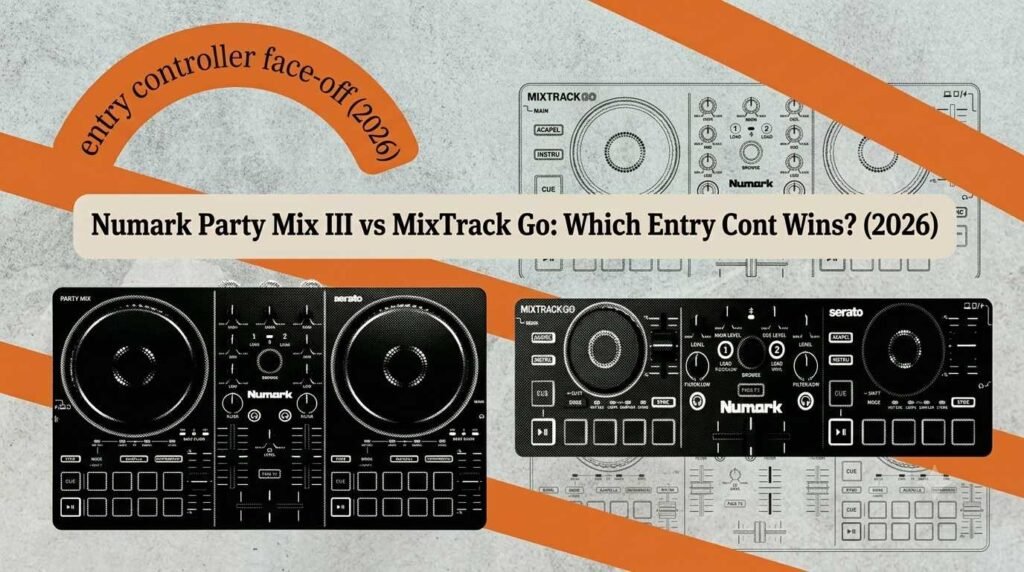
Hardware · Head-to-head · Rating pending
Party Mix III vs MixTrack Go
Numark dropped two brand-new starter controllers on the same July morning — the light-up Party Mix III at $149 and the pocket-sized MixTrack Go at $99. They share a spec sheet but solve completely different problems. Here’s which one belongs on your desk.
Every so often a manufacturer refreshes its cheapest gear and quietly hands beginners features that used to cost three times as much. That’s what happened here. On the same day, Numark launched two entry-level controllers that both pack dedicated Stems control, crossfader-triggered effects, Bluetooth MIDI and a proper 24-bit audio interface — the kind of kit list that would have read like a mid-range spec sheet a couple of years ago.
So the obvious question, if you’re buying your first deck, is which one. The short version: the Party Mix III is a bigger, light-up controller you learn on and throw parties with; the MixTrack Go is a slim travel strip you practise on and stuff in a bag. The $50 between them buys a genuinely different experience — not just a slightly better one. Let’s break it down. And if you’re brand new to all of this, our honest guide to starting out is a good companion read.
The 30-second take
Who each one is for
Party Mix III
$149 · black or cream
Your first real controller. Buy it if you want something to learn beatmatching on at home and then plug into speakers when friends come round. Bigger surface, eight pads per deck, and that beat-synced light show that makes a living-room set feel like an event.
Check price →MixTrack Go
$99 · black or cream
The grab-and-go practice deck. Buy it if you already mix somewhere else and want a tiny controller for the road, the sofa or the hotel room — or if you’re a phone-first DJ who wants the smallest proper controller money buys. Ships with an RCA adapter so it plugs into home speakers out of the box.
Check price →The common ground
What they share
Before we split them apart, it’s worth being clear about how much these two have in common — because the shared features are the whole reason they’re worth looking at in 2026.
Both are true two-deck, two-channel controllers with capacitive-touch plastic jog wheels. Both get dedicated Stems control — a pad mode plus physical Instrumental and Acapella buttons — so you can strip a vocal off a track or pull an instrumental on the fly for mashups. That separation is handled by the software, not the box, but having hardware buttons for it in the middle of a mix genuinely changes how usable it is. If stems are new to you, we compared how the major platforms handle them in our DJ stems breakdown.
Both also carry Fade FX (effects and EQ moves triggered automatically as you push the crossfader), a built-in 24-bit / 48 kHz audio interface with separate main and headphone outputs, Bluetooth MIDI for wireless control, and USB-C power that runs off a laptop, phone, tablet or a battery bank. Neither has a battery of its own, so neither is a standalone unit — you always need a host device running software.
On the software front they’re identical: both unlock Serato DJ Lite and Algoriddim djay (including iOS and Android) plus djay Pro for Mac and Windows, all free. Serato DJ Pro and VirtualDJ work too if you’d rather pay for a licence. Not sure which platform to commit to? Our software comparison lays out the differences.
Numark Party Mix III
$149 · The light-up starter
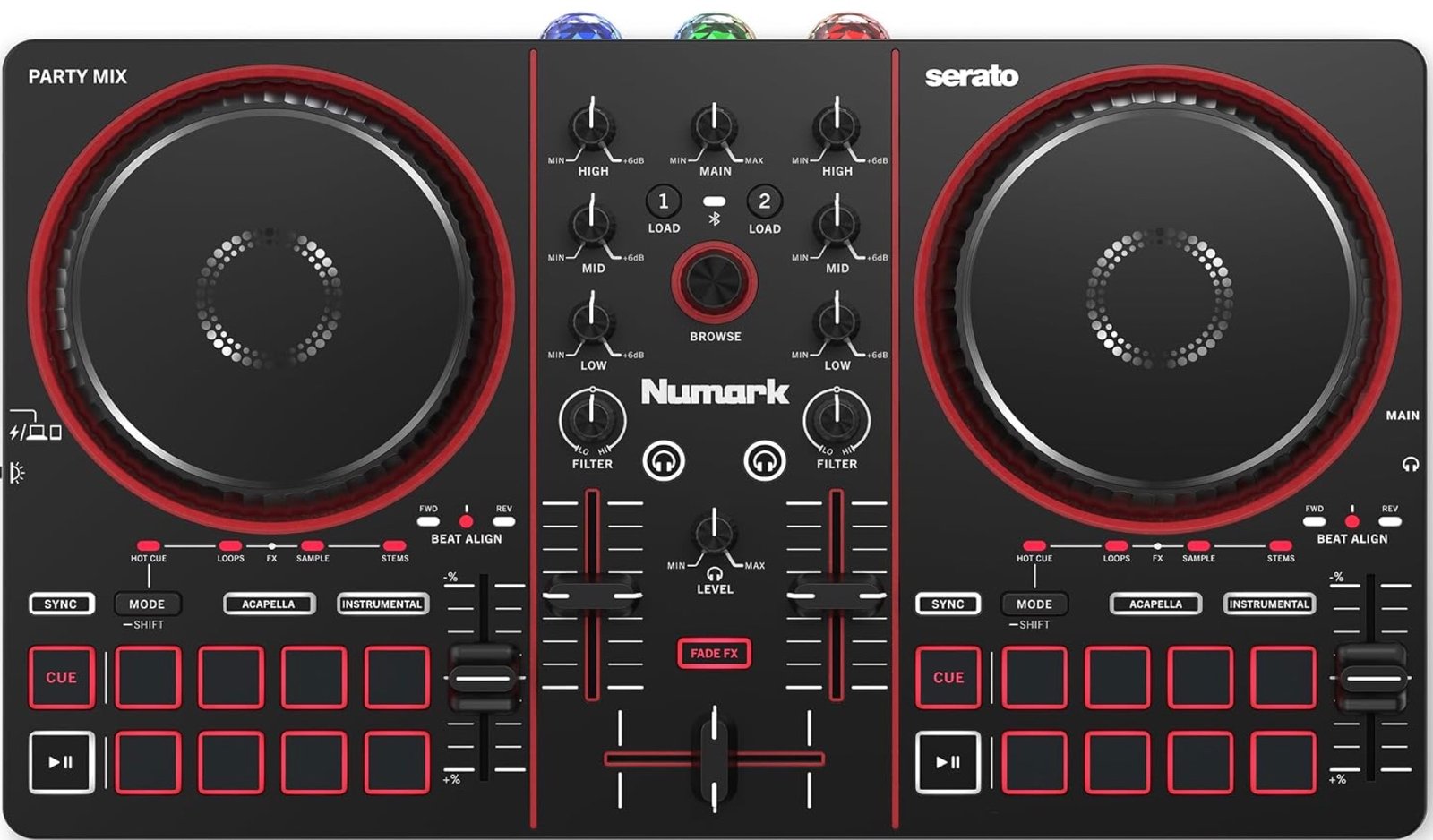
Party Mix III — full two-deck layout with 3-band EQ, filter knobs and eight pads per side.
The Party Mix line has been many people’s first controller for a decade, and the third version is the biggest jump the family has taken. The headline is that Numark has doubled the pads to eight per deck, each with dedicated modes — Hot Cue, Auto Loop, Sampler, Stems and Pad FX — so you’re not constantly shift-toggling to reach a function. There’s a full mixer section with three-band EQ and a filter knob per channel, plus Beat Align indicators that give you a visual nudge while you’re learning to match tracks by ear.
And then there’s the reason it’s called Party Mix: the beat-synced LED light show. Three multicolour arrays throw colour around the room in time with your music, and there’s a switch to kill them when you’d rather not. It’s unashamedly fun, and if you’re the person who ends up DJing at house parties, it earns its keep. Just know going in that this is a controller only — it has no built-in speakers (that’s the separate Party Mix Live model) and no mic input, so it’s not a one-box wedding solution.
Outputs are a single 1/8-inch main and a 1/8-inch headphone jack — fine for powered speakers or a home hi-fi, but there’s no RCA or balanced out, and no mic channel. For a bedroom-to-house-party controller that’s the right set of compromises at the price.
The two ways you’ll actually use it
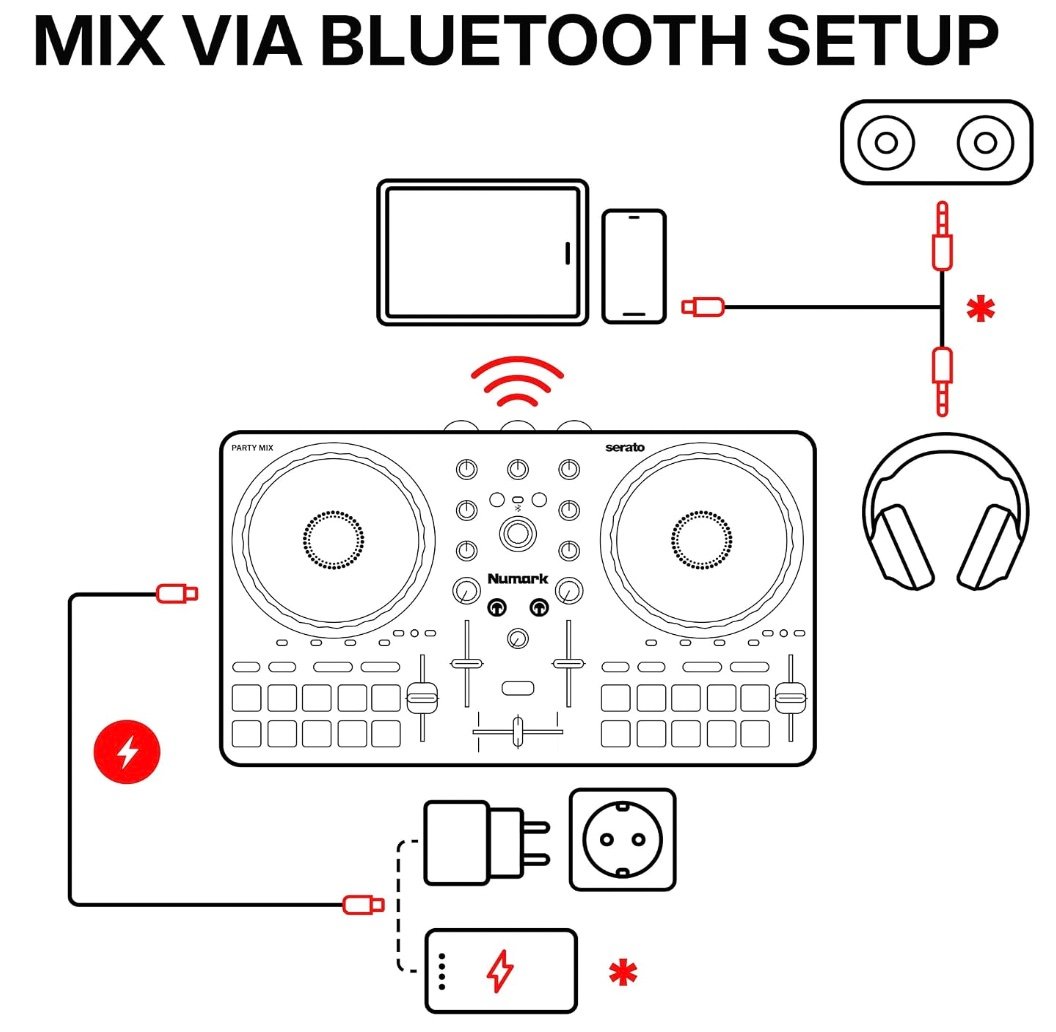
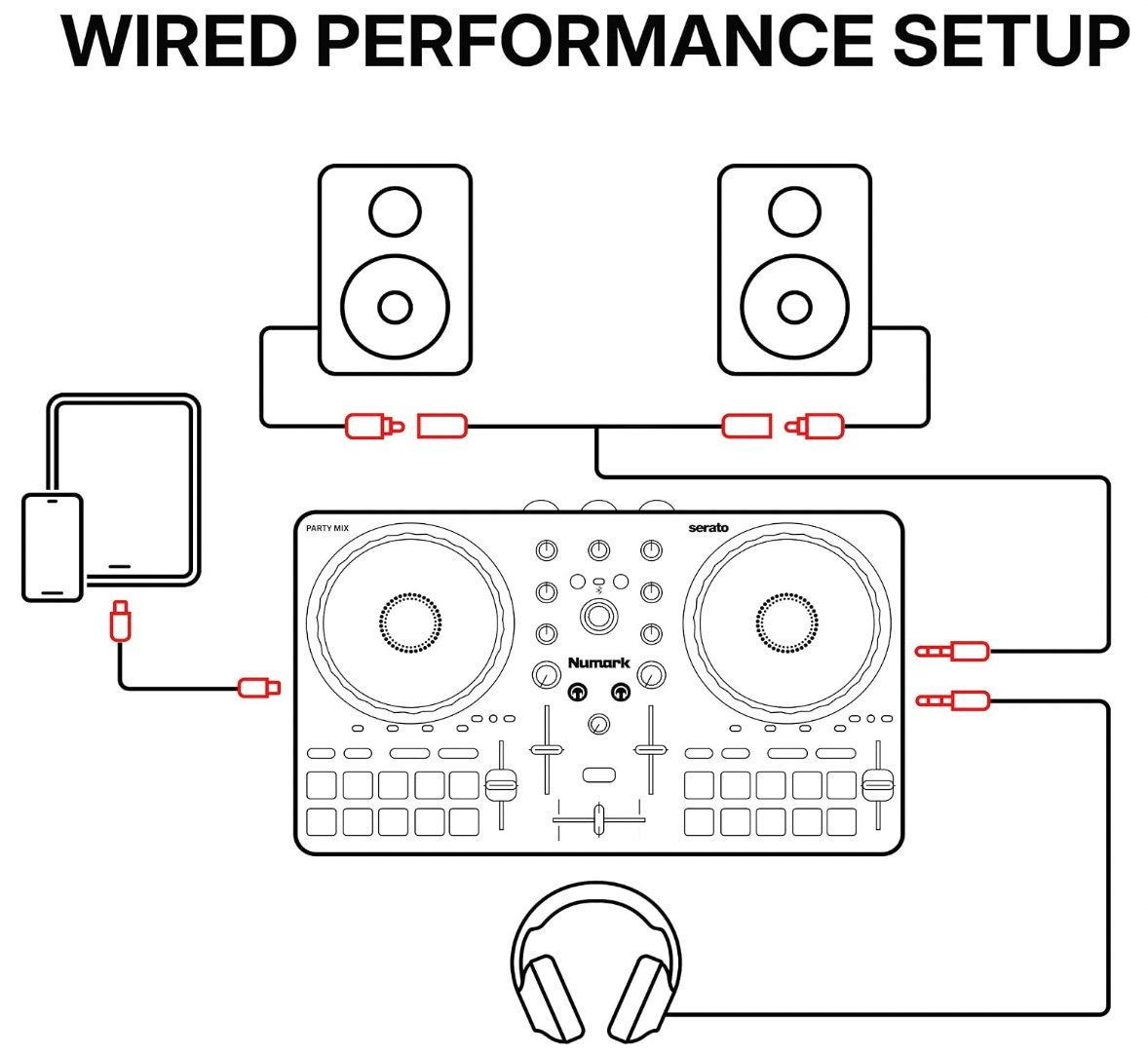
First impressionThe most controller you can hand a total beginner for $149 — more pads, more room to grow, and a light show that makes practice feel like a gig. Just don’t expect speakers or a mic in the box.
Numark MixTrack Go
$99 · The pocket deck
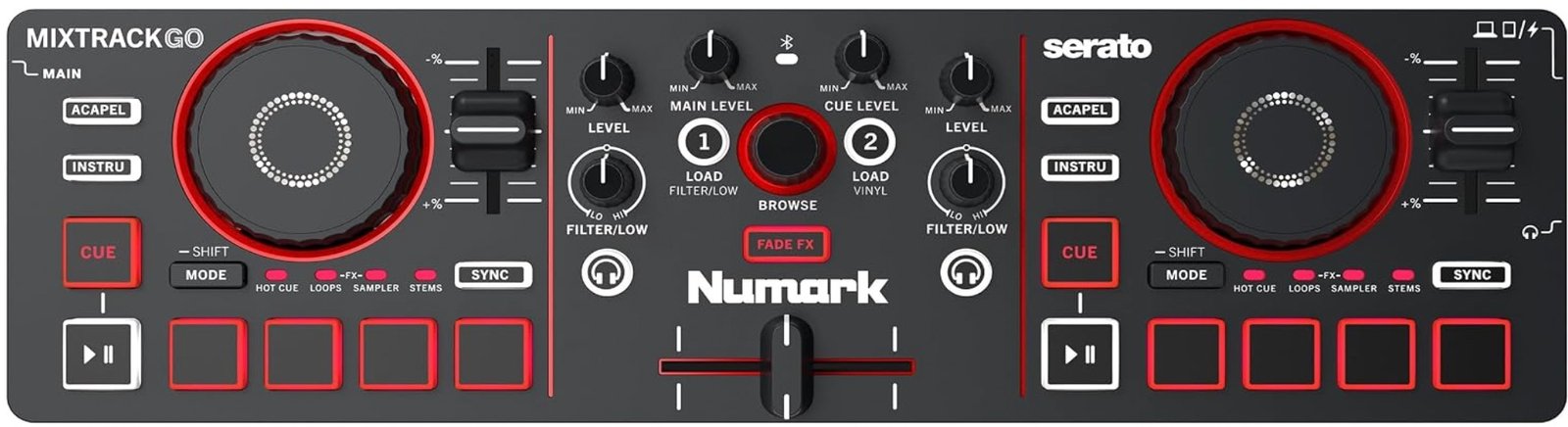
MixTrack Go — the same core toolkit squeezed into a slim, non-mirrored strip.
The MixTrack Go quietly retires Numark’s old DJ2GO2 Touch (now shuffled off to the legacy shelf) and it’s a much more serious little thing. In a chassis barely a foot wide and just over a pound, you still get true two-deck control, capacitive jog wheels, filter knobs, the built-in 24-bit interface and the same Stems, Fade FX and Bluetooth MIDI additions as its bigger sibling.
The trade-off for the size is on the pads: four per deck rather than eight, shared across the five modes with a Mode button rather than each getting its own dedicated row. In practice that’s fine for cues, loops and samples — it’s just a couple more button presses to switch context. One nice touch for anyone stepping up later: the layout is standardised and non-mirrored, so the muscle memory you build here carries over to bigger controllers rather than fighting you.
A small but real advantage over the Party Mix III lives in the box. Numark includes a 1/8-inch-to-RCA adapter and a phone/tablet stand, so despite the same mini-jack outputs, you can plug straight into standard home speakers on day one without hunting for a cable. There’s still no mic input and no lights — this is a purely functional deck — but for prep, practice and small sets it does a lot with very little.
The two ways you’ll actually use it
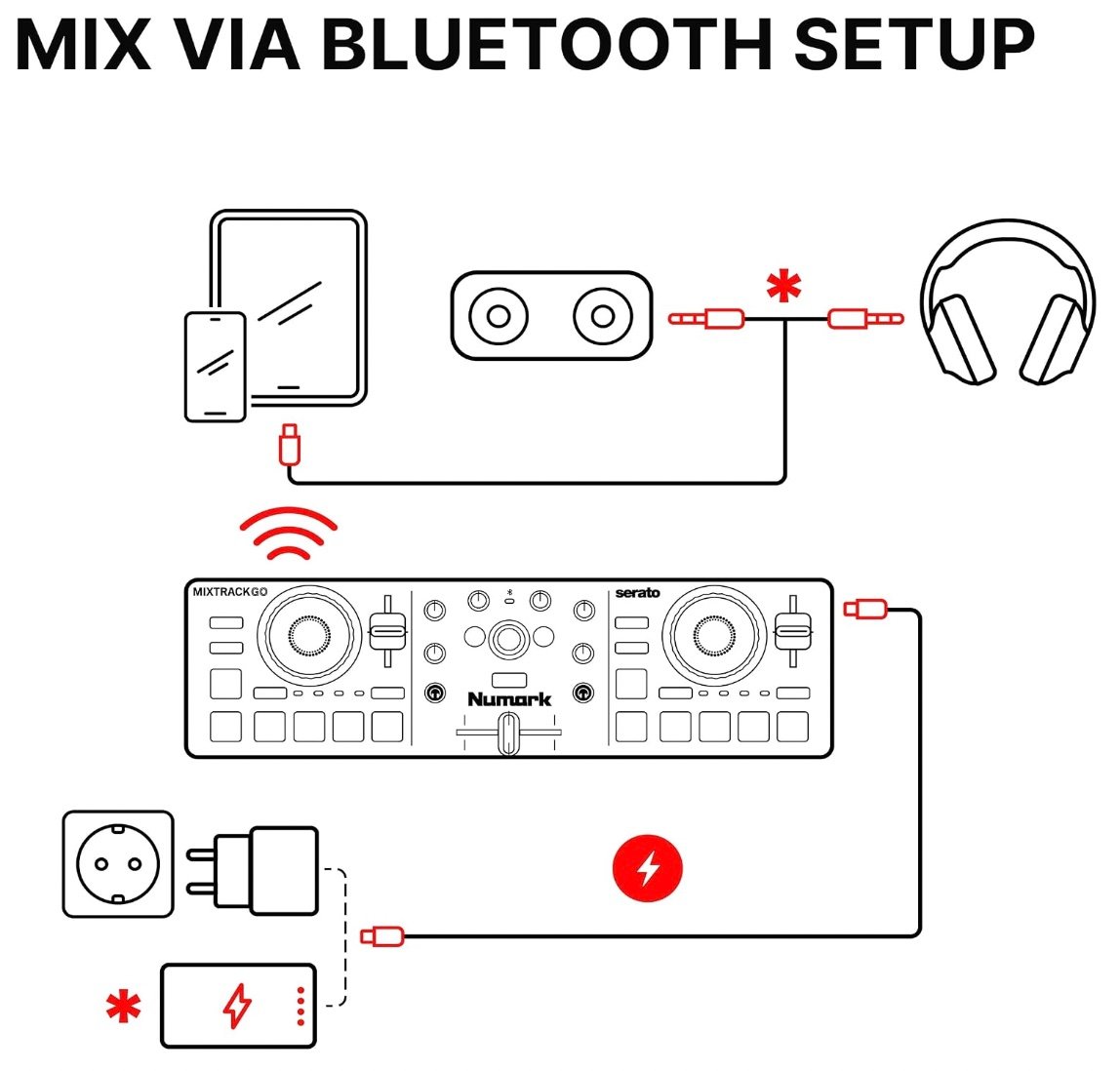
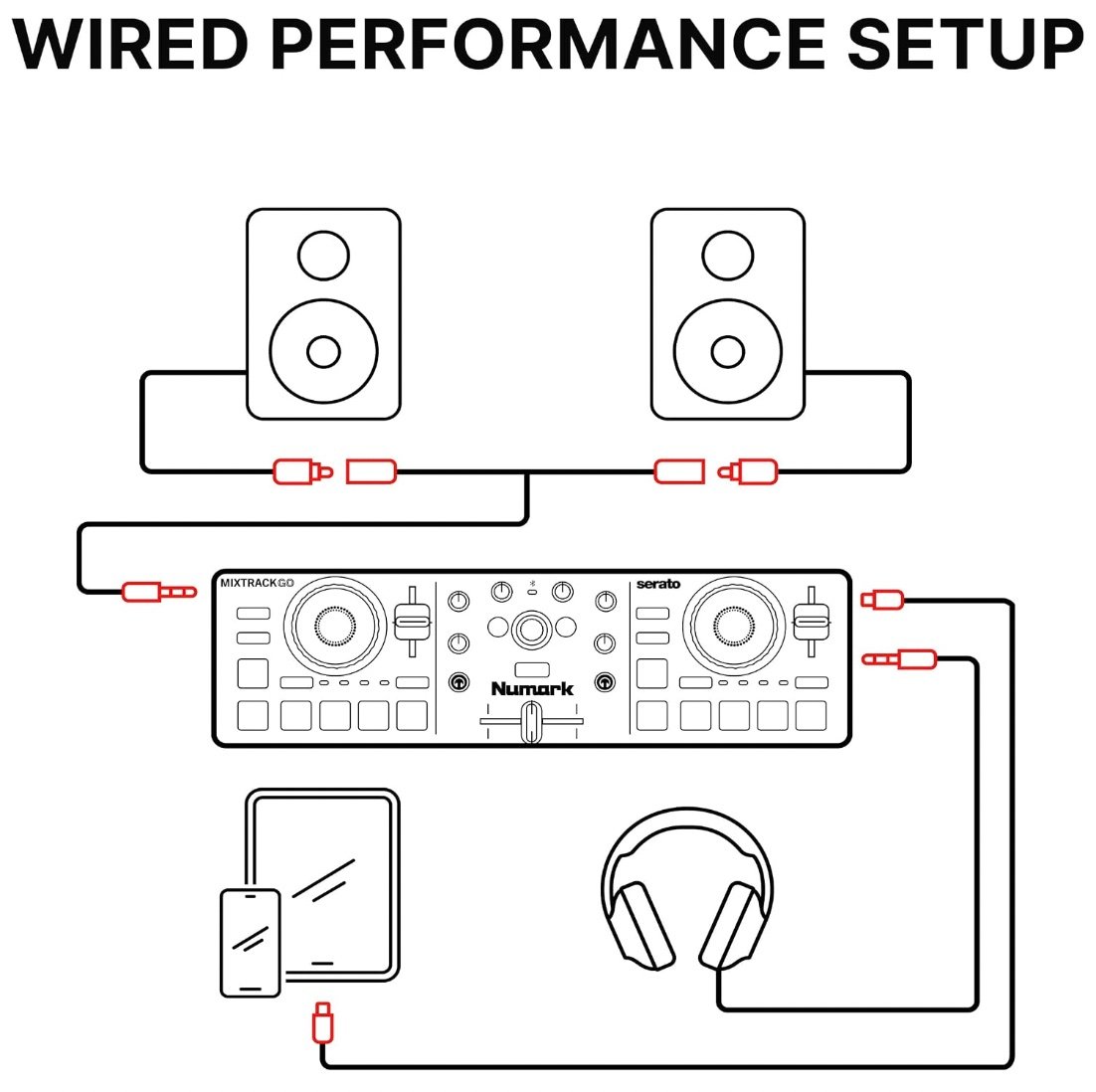
First impressionAn absurd amount of controller for $99, and the smartest ultra-portable Numark has made. Fewer pads and no lights, but the RCA adapter and non-mirrored layout make it punch above the price.
Side by side
The spec-for-spec table
| Feature | Party Mix III | MixTrack Go |
|---|---|---|
| Price (US) | $149 MSRP | $99 MSRP |
| Size / weight | 13.34 × 8.08 × 1.84 in · 2.43 lb | 12.76 × 3.66 × 1.56 in · 1.32 lb |
| Decks / channels | 2 / 2 | 2 / 2 |
| Performance pads | 8 per deck, dedicated modes | 4 per deck, shared via Mode |
| Jog wheels | Capacitive plastic (larger) | Capacitive plastic (compact) |
| Light show | Beat-synced LED, on/off | None |
| Stems control | Yes — pad mode + buttons | Yes — pad mode + buttons |
| Fade FX | Yes | Yes |
| Audio interface | 24-bit / 48 kHz | 24-bit / 48 kHz |
| Outputs | 1/8″ main + 1/8″ phones | 1/8″ main + 1/8″ phones |
| Mic input | No | No |
| In the box | USB-C cable | USB-C + RCA adapter + stand |
| Power | USB-C bus-powered | USB-C bus-powered |
| Bluetooth | BLE MIDI | BLE MIDI |
| Software | Serato Lite + djay free | Serato Lite + djay free |
| Best for | Home + house-party learning | Travel, practice, phone-first |
The pattern is clear: pay the extra $50 for the Party Mix III and you’re buying lights, double the pads and a bigger playing surface. Save it with the MixTrack Go and you’re buying pocketability and the RCA adapter that’s already in the box. Almost everything else is a wash.
So — which should you buy?
These two aren’t really rivals. They’re two answers to two different questions, and the right one depends entirely on what you’re trying to do.
Buy the Party Mix III if…
…this is your only controller and your first one. The bigger surface, eight dedicated pads and Beat Align indicators give you more room to actually learn, and the light show turns a bedroom into a party when you want it to. It’s the better tool to grow into, and if you host, it earns the extra fifty. Check the current price →
Buy the MixTrack Go if…
…you want something to practise and prep on without committing desk space, you travel and need a backup in the bag, or you mix straight off your phone. It gives up lights and half the pads for a genuinely pocketable footprint — and the bundled RCA adapter means it plays through home speakers the moment it’s unboxed. Check the current price →
Buy neither if…
…you already know you want bigger jogs, better build and a longer runway before you outgrow it. In that case the step-up controllers — the Pioneer DDJ-FLX4 and REV1, or Numark’s own Mixtrack Pro FX — start around $250–$300 and are worth the wait if the budget stretches. We line those up in our budget controller guide. And if laptop-free, standalone play is the dream, that’s a different category again.
Both of these launched only days ago, so we’re holding a numbered score until we’ve spent proper time on the hardware — expect a rated hands-on to follow. On paper, though, Numark has made the entry rung more tempting than it’s been in years.