I’ve been making mixes in Ableton for over twenty years. I also spent several months using DJ.Studio seriously for client work — branded mixtapes for restaurants and hospitality brands. So this comparison comes from actual use of both tools, not a spec sheet.
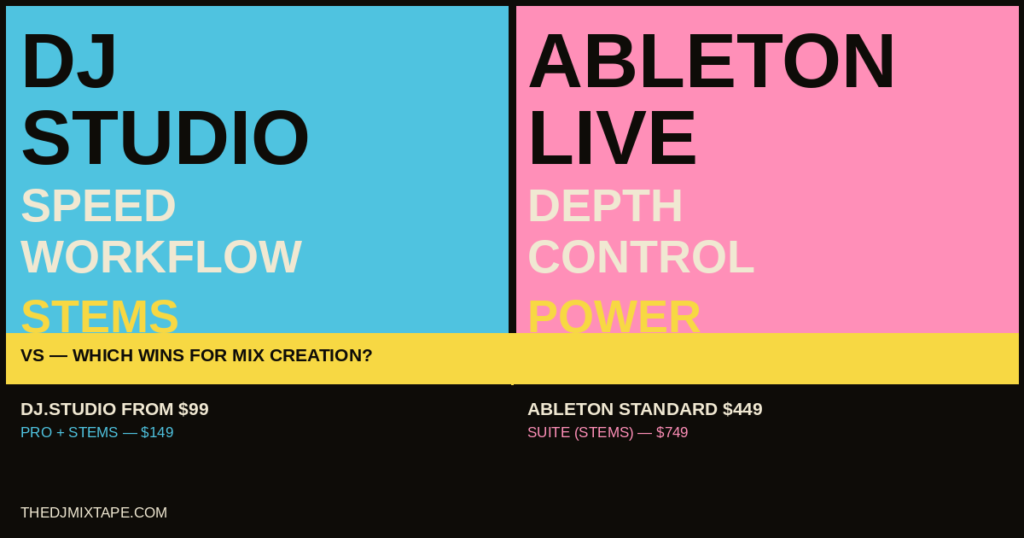
The short version: DJ.Studio is faster. Ableton is deeper. Which one you need depends entirely on what you’re trying to make.
The one-line verdict: DJ.Studio wins on speed for pure mix construction. Ableton wins on depth for production-heavy work. For most DJs making recorded mix content, the strongest workflow is both — DJ.Studio to plan and arrange, Ableton to finish.
What this comparison is actually about
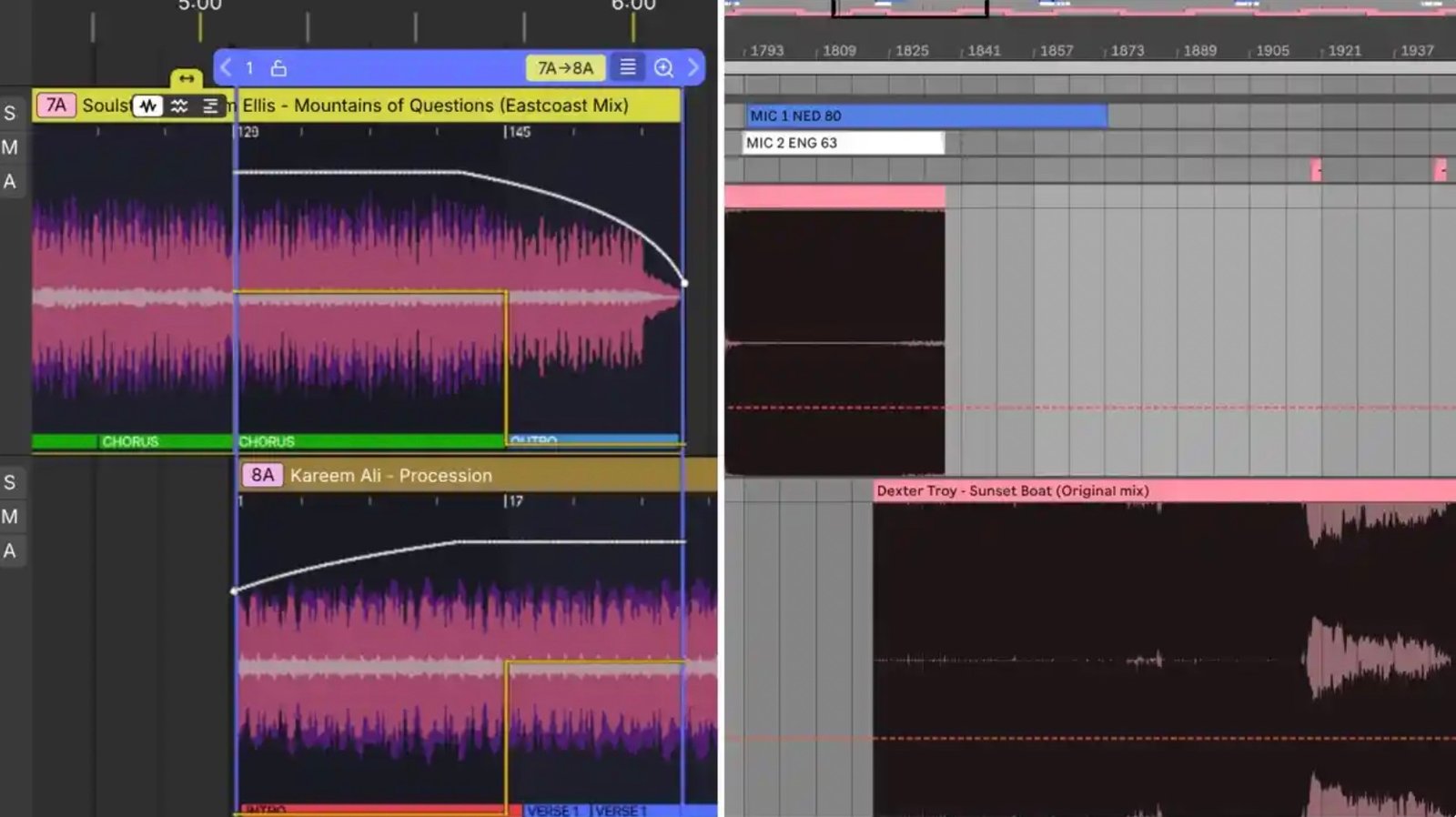
This is not a general software comparison. We’re looking at one specific use case: building a prerecorded DJ mix. Not live performance — that’s Serato and rekordbox territory. Not music production from scratch — that’s Ableton’s core business. We’re talking about taking a selection of finished tracks, arranging them into a continuous mix, designing transitions, and exporting the result.
Both tools can do this. Neither was designed exclusively for it. The difference is in how much friction each one creates along the way.
The Ableton workflow for mix creation
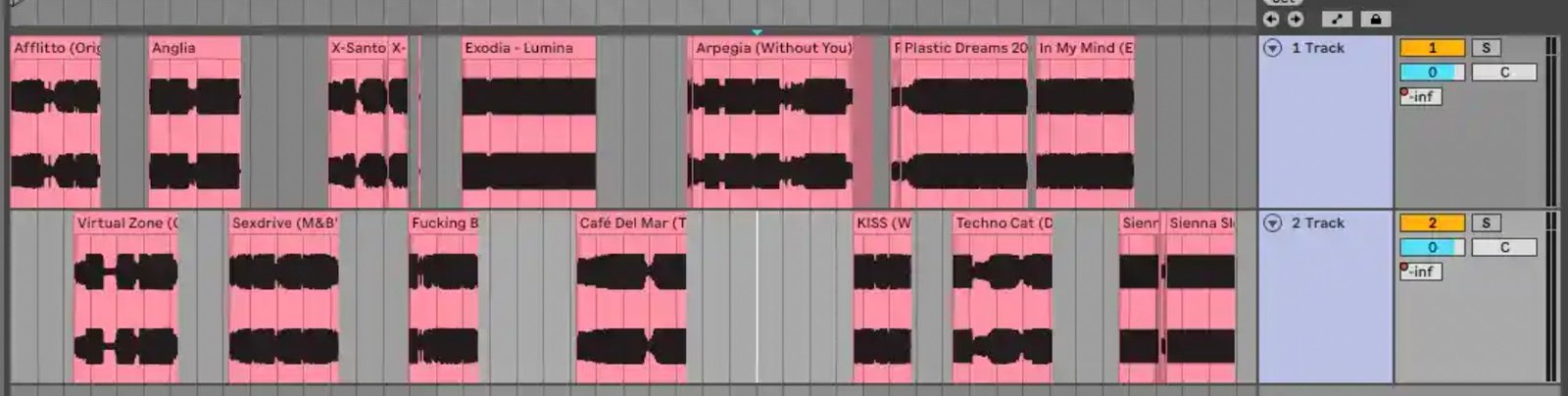
The standard Ableton mix workflow runs like this: import tracks into Arrangement View, warp each one to the grid, manually decide the running order, line up your overlap points, draw volume and filter automation across every transition, add any effects or edits, then bounce the whole thing to audio.
The advantage is absolute control. Every transition is exactly where you put it. Every automation curve is yours. You can add live instrumentation, run plugin chains across individual tracks or the master, build mashup layers, apply proper mastering, and export at whatever quality your hardware supports. Ableton gives you a blank canvas and professional tools — nothing is out of reach.
The cost is prep time. Before you get to the creative work, you’re warping tracks. For straightforward electronic music with stable BPMs, warping is quick. For tracks with tempo drift, live drumming, old disco, or inconsistent intros, it takes significantly longer. There’s no automatic harmonic ordering — you plan the key relationships yourself or use Mixed In Key externally. There’s no transition automation to start from. Everything is built manually, from the first downbeat.
I know this workflow intimately. I’ve been using it for over twenty years. The manual prep doesn’t bother me anymore because it’s so embedded in how I think — but I won’t pretend it’s efficient. It isn’t. It’s thorough.
“Ableton for mix creation is like building a road before you can drive it. You get exactly the road you want — but you build every inch yourself.”
What’s new in Ableton Live 12 for this use case
The most relevant Live 12 addition for mix makers is native stem separation in Live Suite, introduced in version 12.3. Right-click an audio clip, choose your isolation — vocals, drums, bass, or other — and Ableton handles it locally using machine-learning algorithms. This removes one significant friction point that previously required a round-trip to a separate tool.
One thing worth clarifying: Live 12 introduced Scale Awareness and Auto Shift for composition and MIDI work, but this is not harmonic analysis for DJ mixing. It doesn’t batch-analyse your audio files and tell you their Camelot keys. For harmonic mix planning in Ableton, you still need Mixed In Key or an equivalent external tool.
The DJ.Studio workflow for mix creation
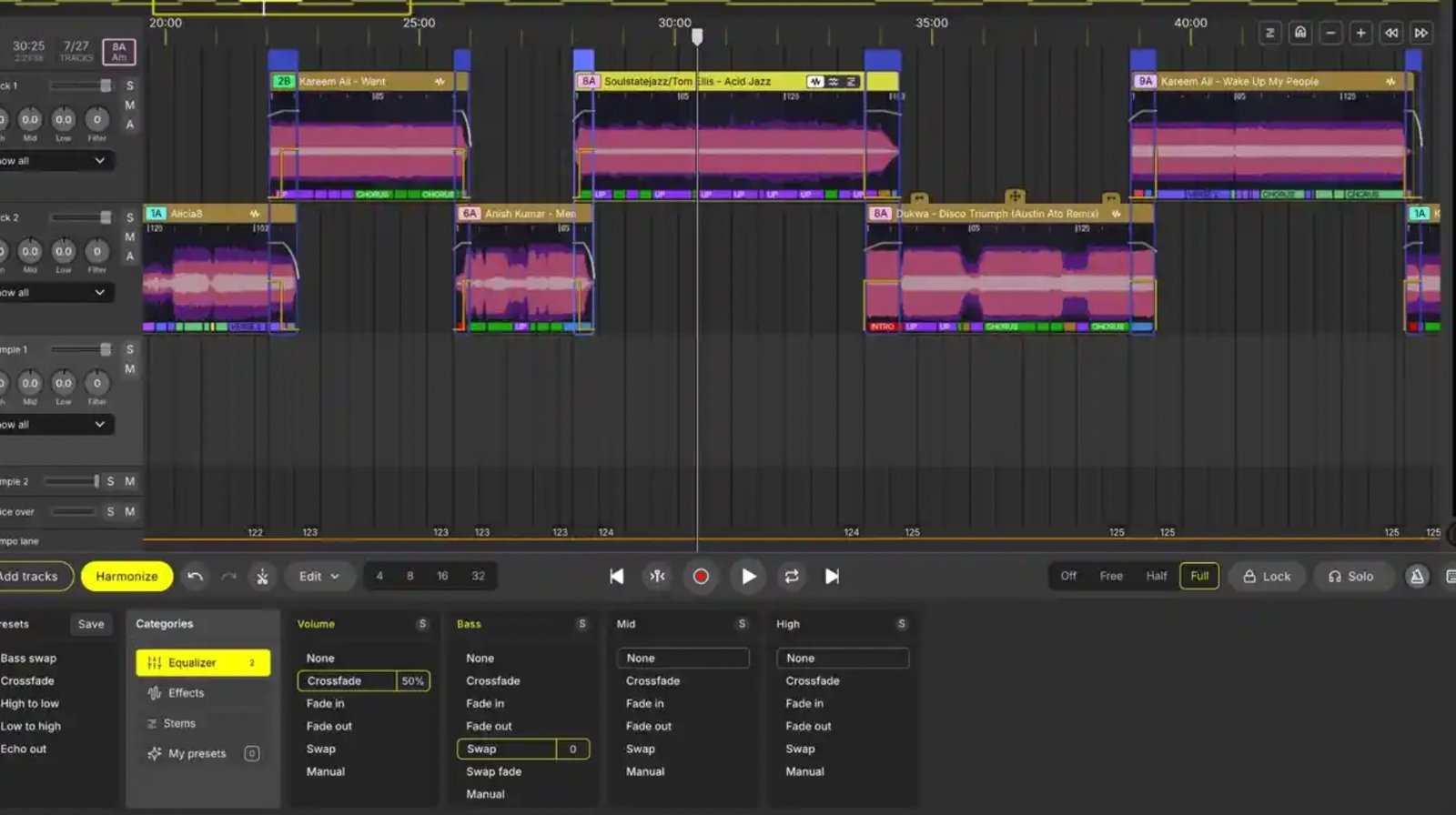
DJ.Studio is purpose-built for this job. Import your tracks from your existing library — it reads rekordbox, Serato, VirtualDJ, Engine DJ, Traktor, iTunes, and local folders — and the Harmonize engine analyses BPM and harmonic key automatically, then proposes a track order and basic transition structure. You refine it on the timeline, adjust transition points, add stem-based edits or effects, and export.
The difference in prep time is significant. What takes hours in Ableton takes minutes in DJ.Studio. The AI beat-grid correction handles tempo alignment automatically. The harmonic ordering removes the external key-analysis step. The transition presets give you a starting point rather than a blank automation lane.
When I was using DJ.Studio for client mixtapes, the stems workflow was what genuinely impressed me. Having stem separation inside the same environment where you’re building the mix — without exporting, processing elsewhere, and reimporting — changes how you approach transitions. You can fade a vocal out two bars early, keep a bassline running under a new track, or layer elements from two different records, all within the timeline. That’s a meaningful creative advantage for mix construction specifically.
Read the full DJ.Studio review for a deeper breakdown of the individual features.
Speed vs depth — the real comparison
| Task | DJ.Studio | Ableton Live |
|---|---|---|
| Harmonic track ordering | Automatic — Harmonize engine | Manual — needs Mixed In Key externally |
| BPM alignment / warping | Automatic — AI beat grid | Manual — warp each track individually |
| Transition design | Presets + timeline refinement | Drawn manually — full control |
| Stem separation | Built-in, inside mix workflow | Built-in (Suite only, Live 12.3+) |
| Plugin chains / mastering | Limited | Full DAW capability |
| Original production / MIDI | Not available | Full capability |
| Video export | Yes — Ultimate tier | No |
| Export to Ableton | Yes — .als with automation + stems | N/A |
| Time from import to finished mix | Faster | Slower |
| Maximum creative control | Limited by tool scope | Unlimited |
Where each tool wins outright
DJ.Studio wins
- Speed of mix construction start to finish
- Harmonic ordering without external tools
- Stems inside the mix workflow — no round-tripping
- Mix video export
- Output-focused DJs who want results fast
- Library integration across all major DJ ecosystems
Ableton wins
- Deep mastering and plugin chains
- Surgical custom edits and re-edits
- Original production, MIDI, instrumentation
- Total automation control
- DJs who are already producers
- Long-term flexibility — it’s a full DAW
The strongest workflow — using both together
This is where it gets interesting. DJ.Studio exports a full Ableton Live project — a native .als file with volume, EQ, and transition automation already written, plus pre-warped stems if you’ve used them. That means you can build the structure and transitions in DJ.Studio, export to Ableton, and then apply proper mastering chains, plugin processing, voiceover recording, or any surgical edits you want — without having to do the manual prep that Ableton normally demands upfront.
This is the workflow I’d use if I were starting fresh today. Use DJ.Studio’s Harmonize engine and timeline to get a strong draft together quickly. Export to Ableton. Finish it properly with the tools I know inside out. The combination removes DJ.Studio’s depth ceiling and removes Ableton’s prep burden at the same time.
DJ.Studio’s own documentation explicitly frames this as a supported real-world workflow — it’s not a workaround, it’s a designed handoff.
Pricing
| Software | Entry price | Recommended for mix work | Price |
|---|---|---|---|
| DJ.Studio | Studio — $99 | Pro + Stems — one-time perpetual licence | $149 |
| Ableton Live | Intro — $99 | Standard (Suite for stems) | $449 / $749 |
If you already own Ableton Standard or Suite, the additional cost argument for DJ.Studio is $149 for Pro + Stems. For most DJs who regularly produce mix content, that’s an easy justification given the time it saves on prep.
If you don’t own Ableton at all and your only goal is mix production — not general music production — DJ.Studio at $149 is significantly cheaper and more fit-for-purpose than Ableton Standard at $449.
Who should use what
Choose DJ.Studio if you regularly produce recorded mixes — promo sets, client work, radio shows, YouTube content — and want to spend less time on prep and more time on the creative decisions. The Pro + Stems tier at $149 is the sweet spot.
Choose Ableton if you’re already a producer who lives in Live, you want to do heavy custom editing or mashup work, or you need full mastering and plugin capability. The manual prep cost is real but the creative ceiling is higher.
Use both if you can. Build in DJ.Studio, finish in Ableton. It’s the most efficient path to a polished result and both tools support it explicitly.
Also worth reading
- DJ.Studio review 2026 — full deep-dive into the software
- Harmonic mixing for beginners — the theory behind what DJ.Studio automates
- DJ software comparison 2026 — how all the major platforms compare
- Ableton Live 12 — the complete guide for DJs and producers
DJ.Studio links on this page will become affiliate links once our programme application is approved — this will be updated when confirmed. Ableton links are non-affiliate. Neither relationship affects our editorial position.