Atomix has crammed a year of AI into VirtualDJ — lyrics on the waveform, an LLM set-builder, 122 effects, and a beatgrid that finally handles a warped disco 12″. Here’s the working-DJ read on which bits earn their place in the booth.
VirtualDJ has always been the software everyone underestimates and half the world quietly uses. It ships a big-name update almost every December, and 2026 is no exception — except this year the headline is entirely artificial intelligence. Between the initial 2026 release and the follow-up “Part 2” that landed in the spring, Atomix has bolted on AI lyrics, an AI set-builder, an AI visual engine, a rebuilt effects rack and a new variable beatgrid. It’s a lot. It’s also, as ever, a free upgrade for existing users — you only pay if you want to plug in a controller.
The obvious question for anyone who actually works is: which of these do I care about at 1am with a full floor, and which are demo-reel filler? I’ve spent time with all of it. Here’s the honest breakdown, feature by feature.
Lyrics on the waveform
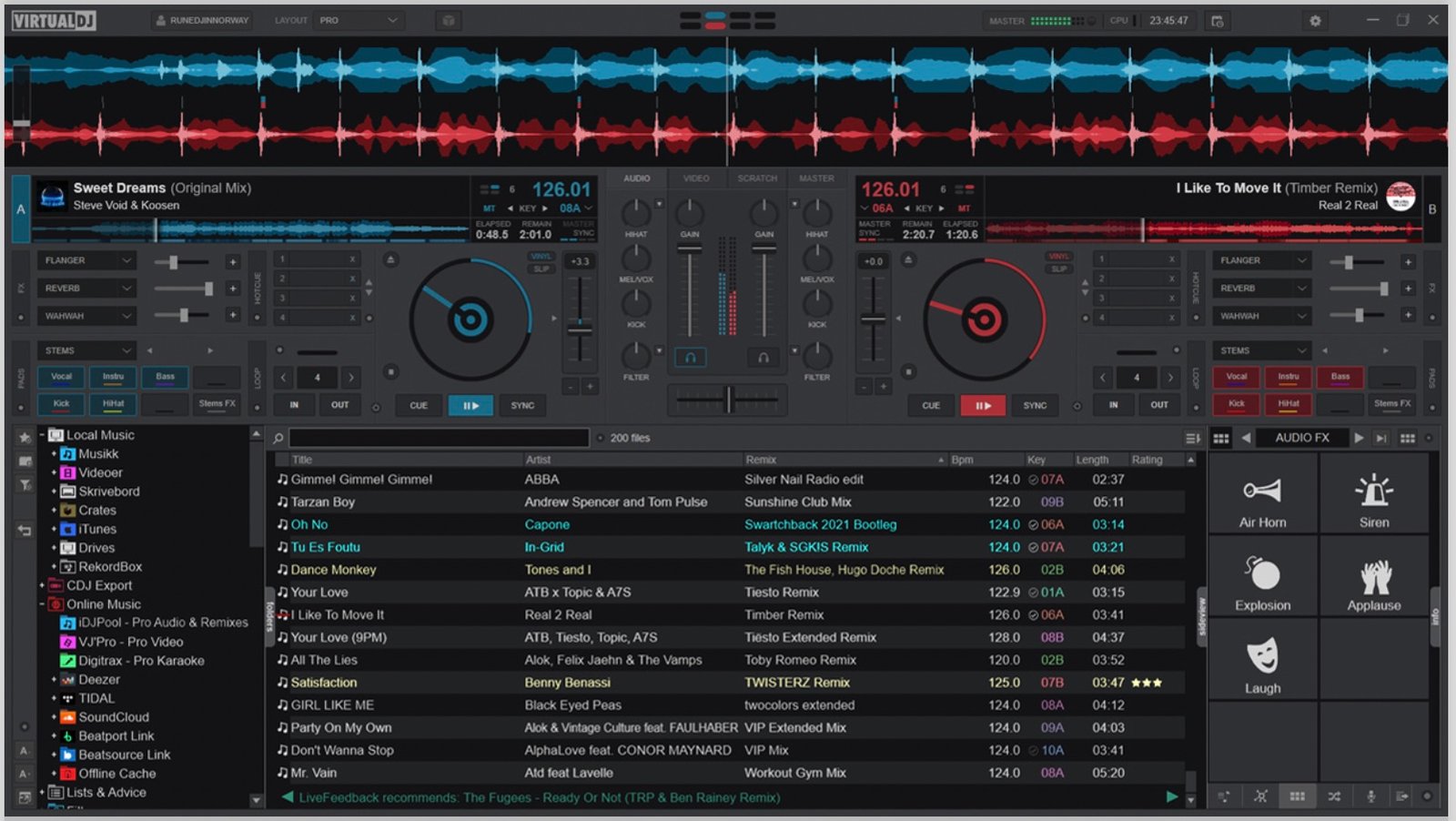
This is the one I didn’t expect to like. VirtualDJ now reads the vocal out of any track using AI and prints the words directly onto the waveform, lined up with where they land. No metadata, no embedded lyric file — it transcribes the audio itself. Sounds like a gimmick until you’re trying to catch a specific line to drop, chop or loop, and you can suddenly see the “hey!” coming three beats out instead of feeling for it.
For anyone who leans on wordplay — mash-ups, edits, vocal call-and-response between decks — it turns something you used to do by memory and muscle into something you can read. It won’t make you a better DJ, but it removes a small tax you were paying on every vocal transition. Note the small print: the lyrics feature only pulls results for popular tracks unless you’re on a Pro licence.
The AIPrompt set-builder
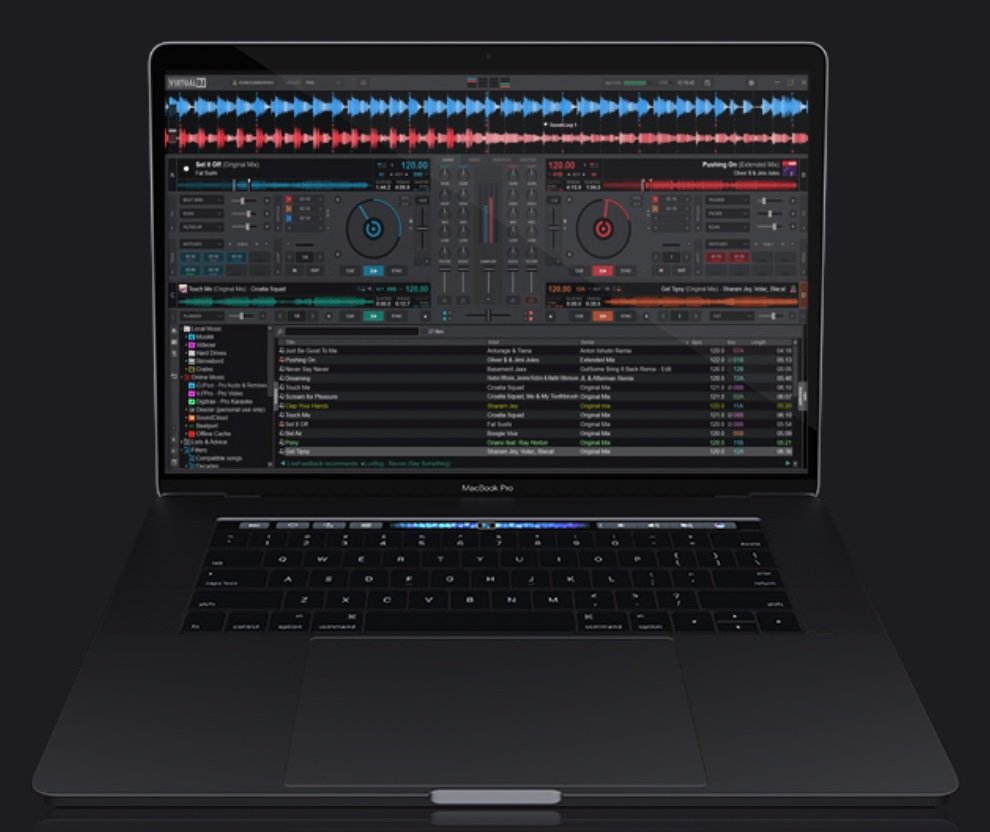
This is the one that’ll split the room. AIPrompt drops a large language model straight into the browser: you type something like “build me a 90s hip-hop warm-up” or “playlist for an eight-year-old’s party” and it hands back a formatted list of tracks — with a short reason for each — ready to drag onto a deck. The smart part is that it’s meant to work against your library rather than inventing songs you don’t own.
DJs have been asking ChatGPT to build sets for a couple of years now. The difference is that this one is standing inside your record bag when it answers.
Whether that’s exciting or unsettling depends entirely on the kind of DJ you are. For a mobile or wedding DJ fielding on-the-spot requests, being able to conjure a themed list in seconds is a real edge. For a club selector who lives and dies by their own crate knowledge, it’s a solution to a problem you don’t have. It’s a Pro-licence feature, and it’s optional — you never have to open the folder. I’d file it under “occasionally brilliant, mostly ignorable,” which is exactly where most AI belongs. If you want the wider view on where all this is heading, we dug into that in our piece on AI in DJing in 2026 — what’s real and what’s hype.
A rebuilt FX engine — 122 effects
Buried under the AI noise is the update most working DJs will actually feel every set: the effects engine has been rewritten from the ground up and now ships with over 122 effects. Crucially, Atomix says that includes emulations of “almost every FX from popular hardware mixers” — the kind you’d normally only get sitting behind a Pioneer or a Rane.
That matters because it collapses a real gap. Part of the appeal of a flagship club mixer has always been its onboard effects and colour FX; having credible versions of those in software you can run on a cheap controller is a genuine leveller. It won’t replace the feel of hardware — and if you want to understand what that hardware actually brings to a booth, our guide to the best DJ mixers in 2026 lays it out — but for bedroom practice and mobile work, having the whole toolbox in the box is a big deal.
Fluid Beatgrid & the BPM Stabiliser
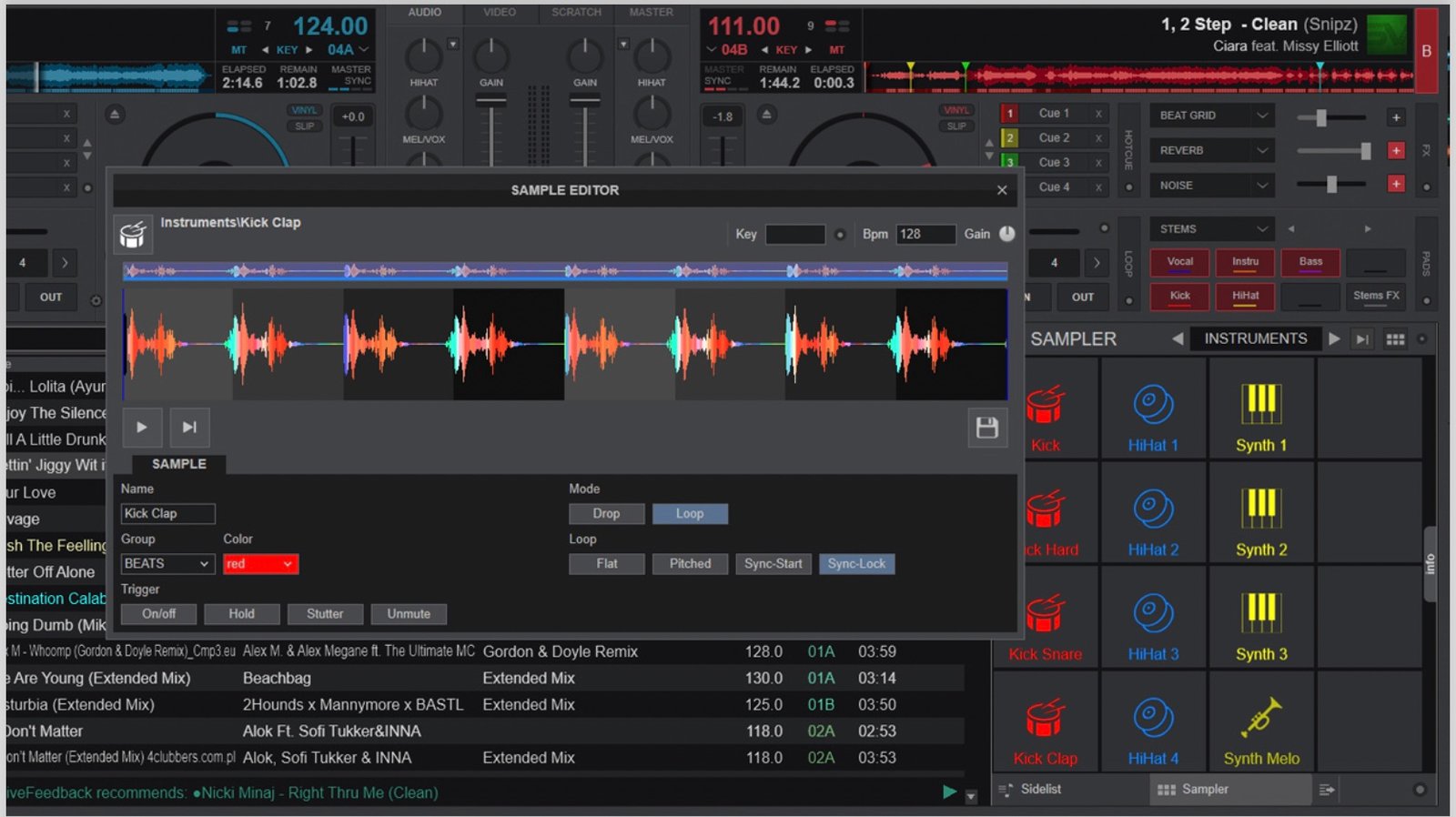
If you only pay attention to one thing here, make it this. VirtualDJ 2026 Part 2 introduced an AI-powered Fluid Beatgrid — a variable-tempo grid built to handle tracks that drift: old rock and disco cut before the click track existed, warped vinyl rips, live recordings, megamixes. Anything with a wandering BPM that used to be a nightmare to lock in.
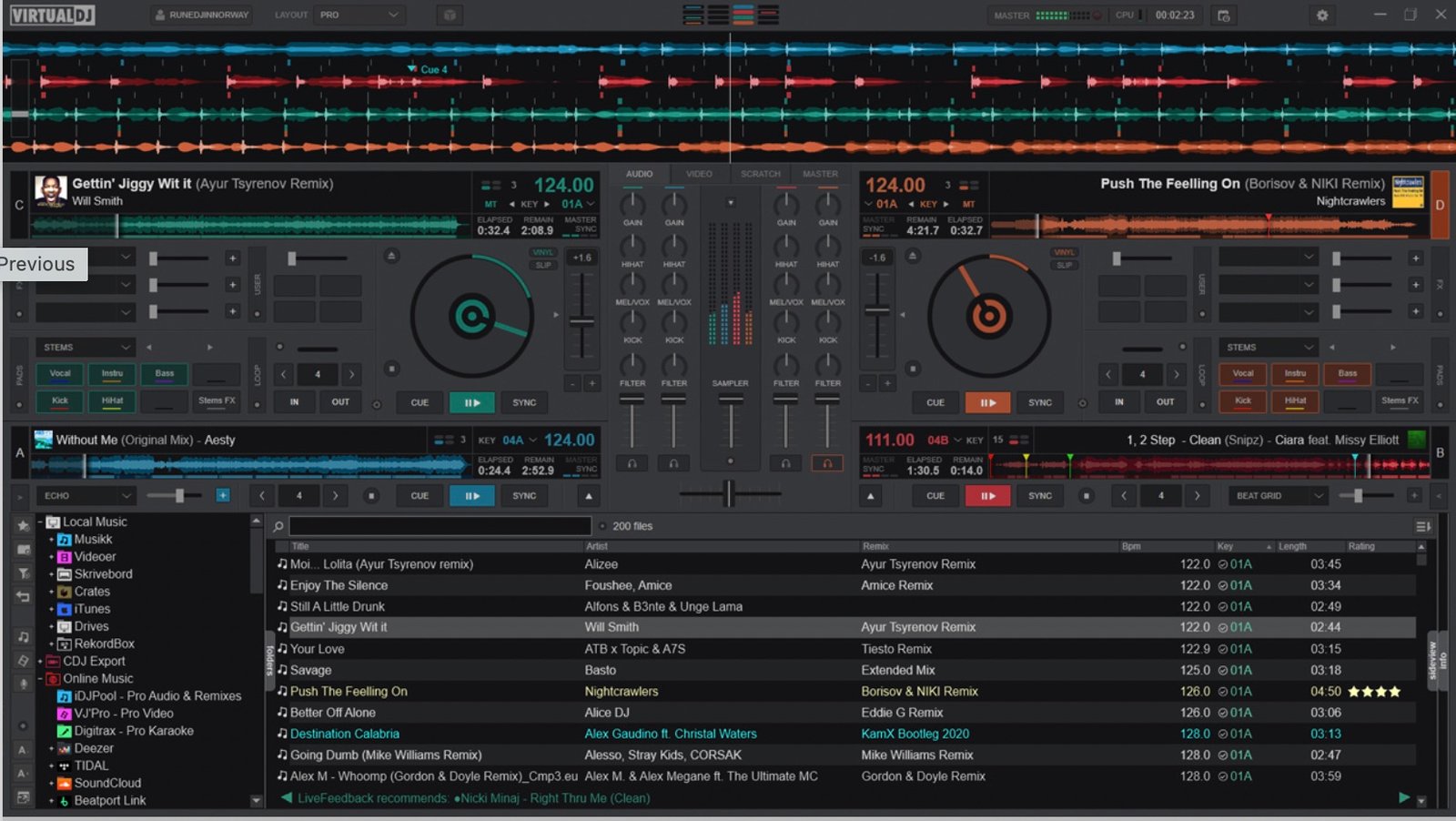
The genuinely thoughtful bit is the BPM Stabiliser. It lets DJs who mix without the sync button — by ear, by hand, the way a lot of us learned — “steady” a fluid track just for the length of a transition, so you can still pitch and nudge it manually and it’ll hold against the other deck. That’s a rare thing: an AI feature designed to support hand-mixing rather than replace it.
It’s the software catching up to what Algoriddim’s Djay set as the bar for variable beatgridding, and early testing shows it handling classics like Chic’s “Good Times” cleanly, while still getting confused about bar starts on genuinely awkward records. It’s labelled beta and lives in the BPM editor — normal analysis still defaults to the old method — so you have to go looking for it. Do. If you play anything older than a drum machine, it’s the most useful thing in this whole update. It also pairs neatly with getting your key and harmonic mixing right on those same tricky records.
AI visuals — for a different kind of DJ
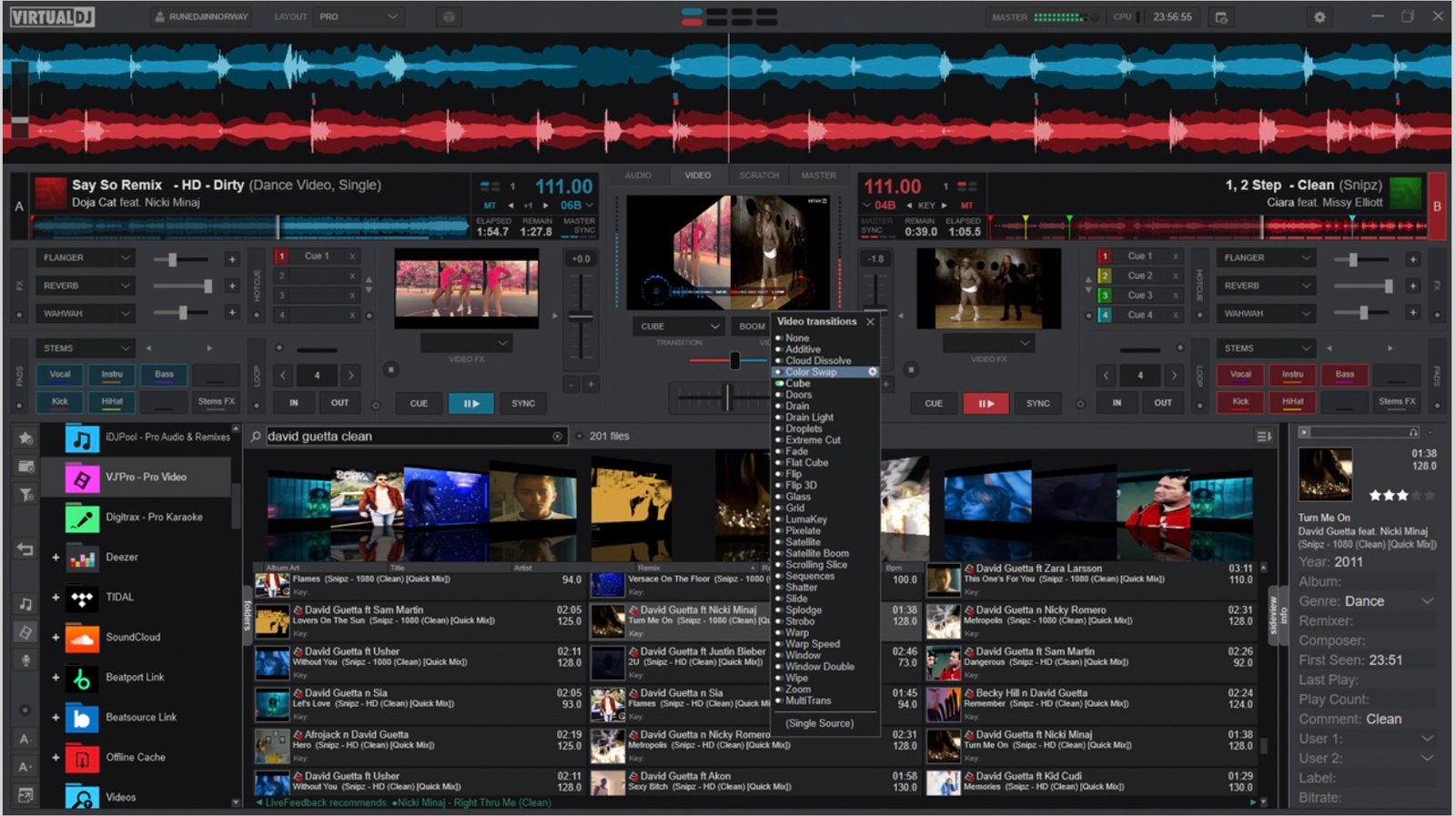
Part 2 also leaned into video: AI can now fill your screens with generated content when you’re playing audio-only tracks — reactive shaders spun up from a text prompt, or beat-synced “AiLoops” video loops. Combined with the karaoke plugin that turns any track’s AI-transcribed lyrics into on-screen singalong, it’s a clear play for mobile DJs, VJs and hybrid performers who have to keep a projector fed all night.
If you’ve never plugged into a screen in your life, none of this changes your world. If you run visuals, it quietly removes a whole workflow. Know which one you are before you get excited.
The catch: what’s free, what’s not
VirtualDJ’s pricing model hasn’t changed and it’s still the most generous in the business: download it, run it without a controller, mix on your laptop for nothing. But several of the marquee 2026 features — AIPrompt in particular, and the full lyrics results — are gated behind a Pro licence. And the moment you connect a controller, you need to buy or subscribe regardless. So the “free upgrade” headline is true, but the shiniest new toys sit behind the paywall you were probably already at.
So should you care?
- Already on VirtualDJ: update today. It’s free, and Fluid Beatgrid alone justifies it if you play older or live material.
- Wordplay / mash-up DJs: lyrics-on-waveform is the standout — it’s a real workflow upgrade, not a gimmick.
- Manual, no-sync mixers: the BPM Stabiliser is the rare AI feature built to help you, not automate you.
- Mobile / wedding DJs: the AI set-builder and AI visuals are aimed squarely at you and will save real time.
- Club purists: take the FX engine and the beatgrid, ignore the rest, and lose nothing.
VirtualDJ has spent years being the proving ground where features arrive before the rest of the industry catches on, and 2026 is the most aggressive example yet. Most of the AI is optional, some of it is genuinely smart, and the one piece everyone’s overlooking — the beatgrid — is the best reason to open it. If you’re weighing it against the alternatives, that’s exactly the fight we break down in our 2026 DJ software comparison: Serato vs rekordbox vs Traktor vs VirtualDJ. And if it’s the real-time stem separation that’s tempting you, we put the major apps head to head in our DJ stems comparison.
New to all this and wondering whether VirtualDJ is where you should start at all? Our guide to how to start DJing in 2026 walks through software, gear and first steps without the gatekeeping.