
Touring gear lists usually get written by people who don’t tour. They’re full of things that look sensible on a spec sheet and turn out to be dead weight by the third gig — and they leave out the two-pound items you’d genuinely pay a hundred quid for at 11pm when something’s gone wrong.
This is the version organised by the problem it solves. Ten things worth the space in the bag, and an honest note on which ones you can skip.

1. A case that fits your controller exactly
The most important thing in the bag is the bag. A generic backpack with foam dividers will let a controller shift in transit, and a jogwheel that has taken a knock is a jogwheel that drifts.
Model-matched hard cases cost less than most people expect and they’re the difference between a controller lasting two years and lasting ten. If you’re flying, a hard case is not optional — soft bags do not survive baggage handling, whatever the manufacturer’s photography suggests.
We’ve broken the options down by the decision you’re actually making — one controller, a changing load, or records — in our guide to the best DJ bags and cases.
2. Booth headphones — and a spare cable
Worth being blunt about this one, because touring lists get it wrong constantly: noise-cancelling headphones are the wrong tool for a booth. Active cancellation introduces latency and colours the low end, which is exactly what you’re trying to judge when you cue. What you want is passive isolation — a closed back that physically seals.
The touring-specific consideration is the cable. Detachable, coiled, and carry a second one. A failed headphone cable mid-set is the single most common equipment failure in a DJ booth and the cheapest one to insure against.
Our DJ headphones guide covers isolation, build and replaceable parts at every price point, and the Pioneer HDJ-X10 review looks at the current booth standard in detail.
3. Ear protection you’ll actually wear
This should be higher on every list than it is. Hearing damage is cumulative, permanent, and it ends careers — and the reason DJs don’t wear protection is almost always that foam plugs make everything sound muffled and wrong.
The fix is a filtered musician’s plug rather than foam. These attenuate roughly evenly across the frequency range, so the music sounds like itself, just quieter — you can mix in them. Universal-fit filtered plugs are inexpensive; custom-moulded ones from an audiologist cost considerably more and are worth it if you’re playing weekly.
Buy two pairs. You will lose one.

4. A cable roll — the thing that saves the night
Venues lie about what they have. The house RCA leads are frayed, the spare is missing, and the sound engineer left at ten.
The minimum roll:
- Two RCA pairs, one long, one short
- A 3.5mm-to-RCA and a 3.5mm-to-dual-jack — the emergency route into almost any system
- USB-C and USB-A, plus whichever adapter your laptop needs
- A ground-lift adapter or DI box if you’ve ever had hum in a venue
- Gaffer tape. Not duct tape.
None of this is exciting and all of it has saved someone’s set.
5. Two USB sticks, prepared identically
If you’re playing club media players rather than bringing a controller, this is the whole job. Two sticks, exported the same way, carried in different pockets. Not one stick and a laptop as backup — two sticks, because the failure mode you’re guarding against is a corrupt export, and that corrupts identically wherever it lives.
Export a day ahead, not on the way. And check what the venue actually runs — the difference between rekordbox, Engine and Serato-format sticks is the difference between playing and not. Our guide to the best DJ media players covers what you’ll meet in the wild.
6. A powered USB hub — powered being the point
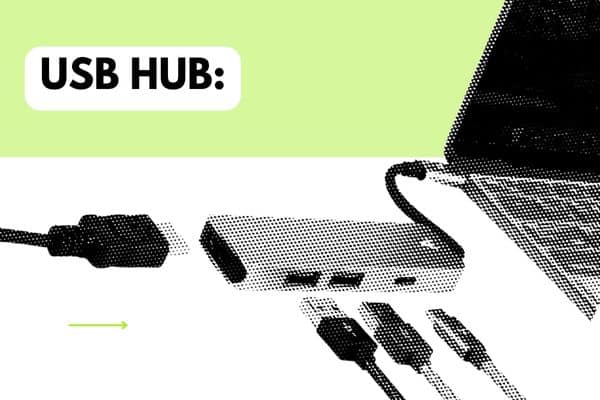
Modern laptops have two ports and you need four. But an unpowered hub is a false economy: controllers and interfaces drawing bus power over a shared hub is a well-known source of dropouts and disconnects mid-set.
Get one with its own power supply, and if you’re on USB-C, check it doesn’t disconnect on the laptop waking. Test it at home under load before it goes in the bag.
7. Timecode vinyl, if you’re a DVS player
Control vinyl wears. The signal degrades from the outer edge in, and a worn record is the cause of most “my DVS is drifting” problems that get blamed on software.
Carry a fresh pair as spares and rotate. Match them to your platform — Serato and Traktor control discs are not interchangeable — and if you’re playing houses with unfamiliar turntables, bring your own slipmats and needles too, because venue needles are a lottery.
More on the formats and what wears fastest in our guide to Serato control vinyl, and the decks themselves in the best DJ turntables.

8. A recorder — or a plan for recording
Every set you play on the road is content you can’t get back. A booth recording is a promo mix, a portfolio entry, and — when a promoter claims the floor emptied — evidence.
Most modern mixers and controllers will record to USB directly, which makes a separate recorder redundant for a lot of touring DJs. If yours won’t, a small handheld recorder taking a line feed from the booth output is the reliable option — and it survives the laptop crashing, which an in-software recording doesn’t.
Take the line out, not the room. Our guide to recording a DJ mix covers the routing for every setup, including the bit everyone gets wrong about levels.
9. Power: a bank, a strip, and the right adapters
Three separate problems that get lumped together.
- A power bank is for your phone, not your gear. High-capacity banks are also subject to airline limits — check the watt-hour rating before you fly with one.
- A short power strip solves the real problem, which is that the booth has one free socket behind a fridge.
- Travel adapters — and if you’re crossing regions, check voltage as well as plug shape. Most laptop and controller supplies handle 100–240V, but not all of them do.

10. A groovebox or sampler, if it earns its place
The honest answer for most touring DJs is: leave it at home. A drum machine in the booth is another box to power, another cable to route, another channel to gain-stage, and an extra thing to explain to a sound engineer who is already unhappy.
But if it’s genuinely part of what you do rather than a decoration, the thing that matters on the road is the output configuration — a single stereo mini-jack out is a very different proposition in a club to balanced individual outs. That’s the spec to check before anything else.
We’ve gone through the current options and what they’re actually like as a mixer channel in our guide to grooveboxes for DJs.
What to leave at home
Worth saying, because these appear on every list of this kind:
- A booth facade. Great for mobile and wedding work, dead weight for club touring — the venue has a booth.
- Your own lighting. Same reasoning, unless you’re the production as well as the DJ.
- A full controller, if you’re playing clubs with house players. Two USB sticks weigh nothing and every setup argument disappears.
The pattern across all ten: the accessories worth carrying are the ones that prevent a failure, not the ones that add a feature. Cables, spares, and protection for your gear and your hearing. Everything else is optional.

Frequently asked questions
What DJ accessories are essential for a first gig?
Headphones with a spare cable, two prepared USB sticks, an RCA pair, and ear protection. That covers the four things most likely to go wrong on a first booking.
Should DJs use noise-cancelling headphones?
No. Active noise cancellation adds latency and alters the low end, which makes cueing harder rather than easier. Closed-back headphones with good passive isolation are the correct tool for a booth — see our DJ headphones guide.
How do I protect DJ equipment when flying?
Use a hard case sized to the specific model, carry the laptop and USB sticks in hand luggage, and check the watt-hour rating on any power bank before you travel. Soft bags are for road trips, not hold luggage.
Do I need to bring my own controller to a club?
Usually not. Most clubs run standard media players and a house mixer, so prepared USB sticks are faster to set up and far less to carry. Confirm the format the venue uses before you export.
How often should timecode vinyl be replaced?
It depends entirely on hours played and needle condition, but drifting or unstable tracking is usually wear rather than a software fault. Carry a spare pair and rotate them rather than waiting for a failure mid-set.